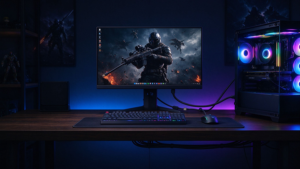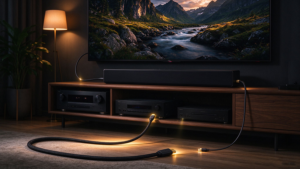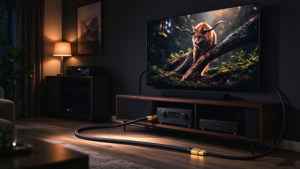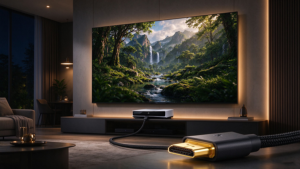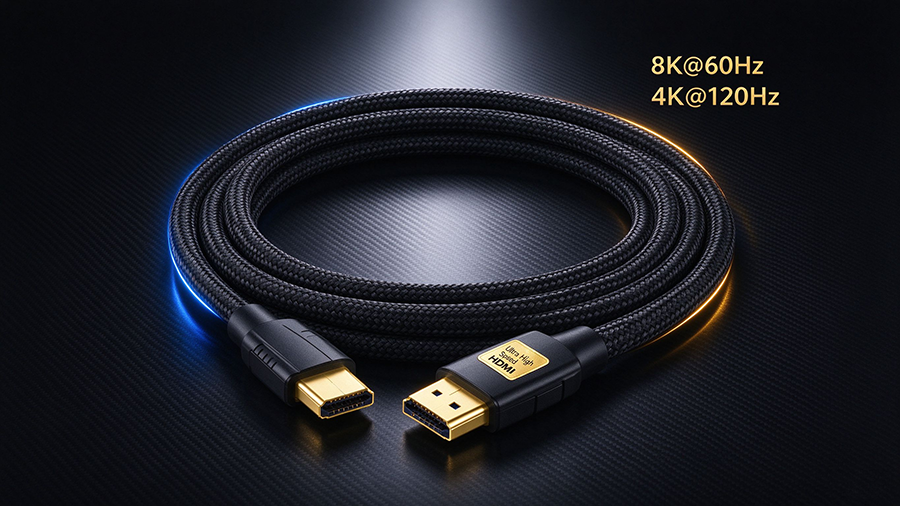
Shopping for a best HDMI 2.1 cable is no longer as simple as grabbing the cheapest one off the shelf. Today’s TVs, gaming consoles and PC monitors push far beyond what older cables can carry, and the term Ultra High Speed HDMI cable now defines a specific, certified performance tier you need to look for.
Whether you’re chasing 4K@120Hz console gaming on a PS5 or Xbox Series X, or planning to feed a brand-new TV 8K, this guide will walk you through everything about the Cable HDMI 2.1: what it is, why certification matters, how it compares to HDMI 2.0, and exactly how to choose a reliable 48Gbps cable for your setup.
What Is an HDMI 2.1 Cable?
Cable HDMI 2.1 is a cable built to the HDMI 2.1 specification. It supports up to 48Gbps of bandwidth, which is roughly three times the 18 Gbps of an HDMI 2.0 cable. That extra bandwidth unlocks the formats people actually search for:
- 8K resolution at 60Hz (8K@60Hz)
- 4K resolution at 120Hz (4K@120Hz) for smooth gaming
- HDR dinámico, including HDR10+ and Dolby Vision
- eARC for lossless, high-bitrate surround sound
- Advanced gaming features like VRR, ALLM, QFT y SBTM
The official name for a cable that fully meets these requirements is the Ultra High Speed HDMI cable, certified to deliver full 48Gbps performance and tested for EMI (electromagnetic interference).
Why Certification Matters: Certified Ultra High Speed HDMI
Not every cable labeled “8K” is actually certified. The HDMI Forum introduced the Ultra High Speed HDMI Certification Program so consumers can trust what they buy. A certified HDMI 2.1 cable is:
- Tested at 48Gbps for full bandwidth
- EMI-tested to minimize wireless interference with Wi-Fi and Bluetooth
- Validated for features like eARC, VRR y ALLM
- Usually marked with a certification label y un QR code you can scan to verify authenticity
A certified cable is especially important over longer runs and for gaming, where signal quality directly affects whether you actually hit 4K@120Hz or get flicker and dropouts. Cheap, uncertified “8K” cables are a leading cause of “my cable doesn’t work” support tickets.
HDMI 2.1 vs HDMI 2.0: What’s the Difference?
If you’re deciding whether to upgrade, the table below shows exactly what an Cable HDMI 2.1 gives you versus an Cable HDMI 2.0.
|
Característica
|
||
|
Ancho de banda máximo
|
18 Gbps
|
48 Gbps
|
|
Resolución máxima
|
4K a 60 Hz
|
8K @ 60Hz, 4K @ 120Hz
|
|
HDR
|
Static HDR
|
Dynamic HDR (HDR10+, Dolby Vision)
|
|
Audio Return
|
ARC (compressed)
|
eARC (lossless, Dolby Atmos / DTS:X)
|
|
Gaming Features
|
Limitado
|
VRR, ALLM, QFT, SBTM
|
|
HDCP Support
|
HDCP 2.2
|
HDCP 2.3
|
|
Lo mejor para
|
Standard 4K streaming
|
8K TVs, high-refresh gaming
|
4K@120Hz and 8K@60Hz: What You Can Actually Do
The two headline features of a 48Gbps HDMI 2.1 cable are 4K@120Hz y 8K@60Hz. Here’s where each one genuinely matters:
|
Caso práctico
|
Lo que necesita
|
Por qué es importante
|
|
PS5 / Xbox Series X gaming
|
4K@120Hz + VRR + ALLM
|
Smooth, tear-free high-refresh gameplay
|
|
High-end gaming PC / monitor
|
4K@120Hz, high refresh
|
Low latency with G-Sync / FreeSync support
|
|
8K TV / 8K content
|
8K@60Hz
|
Future-proofed picture quality
|
|
Home theater with soundbar
|
eARC + Dolby Atmos
|
Lossless, immersive surround sound
|
|
Long runs (projector, in-wall)
|
Fiber optic / active HDMI 2.1
|
No signal loss over 10m+, 20m, 30m
|
For console gamers, the most searched question is usually “best HDMI 2.1 cable for PS5” o “best HDMI cable for Xbox Series X.” The short answer is the same: cualquier Ultra High Speed certified HDMI 2.1 cable que apoya 48 Gbps, VRR, ALLM y eARC.
Key HDMI 2.1 Features Explained
Part of the reason people search so much about HDMI 2.1 is the alphabet soup of features. Here’s a quick, plain-English breakdown:
|
Característica
|
Nombre y apellidos
|
What It Does
|
|
VRR
|
Variable Refresh Rate
|
Reduces screen tearing and stutter during gameplay
|
|
ALLM
|
Auto Low Latency Mode
|
Automatically switches to low-lag game mode
|
|
QFT
|
Quick Frame Transport
|
Lowers latency for smoother, more responsive gaming
|
|
QMS
|
Cambio rápido de soportes
|
Eliminates blank screens when switching refresh rates
|
|
SBTM
|
Source-Based Tone Mapping
|
Better HDR when mixing HDR and SDR content
|
|
eARC
|
Enhanced Audio Return Channel
|
Lossless audio like Dolby TrueHD and DTS:X
|
|
DSC
|
Display Stream Compression
|
Enables very high resolutions / refresh rates over one cable
|
How to Choose the Best HDMI 2.1 Cable
When you search for the best HDMI 2.1 cable, keep these factors in mind:
- Certification first. Look for the Ultra High Speed HDMI Certified label and a scannable QR code. This is the single most reliable quality signal.
- Length vs. bandwidth. A standard copper Cable HDMI 2.1 is reliable up to about 2–3 meters (6–10 ft) at full 48Gbps. Beyond that, choose a fiber optic HDMI 2.1 cable or an active HDMI cable to avoid signal degradation.
- Build quality. Braided jackets, gold-plated connectors and reinforced housings last longer and reduce strain damage.
- Your devices. Confirm your TV, monitor and console actually output 4K@120Hz o 8K@60Hz — otherwise a premium cable is overkill.
- Future-proofing. En 8K-ready HDMI 2.1 cable covers you if you upgrade your TV or console later.
Copper vs. Fiber Optic HDMI 2.1
|
Tipo de cable
|
Best Length
|
Key Advantage
|
|
Standard copper HDMI 2.1
|
Up to ~2–3 m (6–10 ft)
|
Cheapest, works both directions, full 48Gbps
|
|
Active HDMI 2.1
|
3–15 m (10–50 ft)
|
Built-in amplifier, no external power
|
|
Fiber optic HDMI 2.1 (AOC)
|
15–30 m+ (50–100 ft)
|
No signal loss, EMI-free, thin & flexible
|
Frequently Asked Questions (FAQ)
Q: Do I need an HDMI 2.1 cable for 4K? Para standard 4K at 60Hz, an HDMI 2.0 cable is enough. You need HDMI 2.1 for 4K@120Hz y 8K@60Hz.
Q: What is the best HDMI 2.1 cable for PS5? Any certified Ultra High Speed HDMI 2.1 cable con 48 Gbps and support for VRR, ALLM y eARC.
Q: Is 8K HDMI cable the same as HDMI 2.1? Yes, in practice. 8K-capable consumer cables are Ultra High Speed HDMI 2.1 cables certified for 8K@60Hz.
Q: How long can an HDMI 2.1 cable be? Copper is reliable to about 2–3 meters at full bandwidth. Use active or fiber optic HDMI 2.1 cables for 10m, 15m, 20m, or longer.
Q: Does HDMI 2.1 cable support eARC? Yes. A certified Ultra High Speed HDMI 2.1 cable supports eARC for lossless audio like Dolby Atmos.