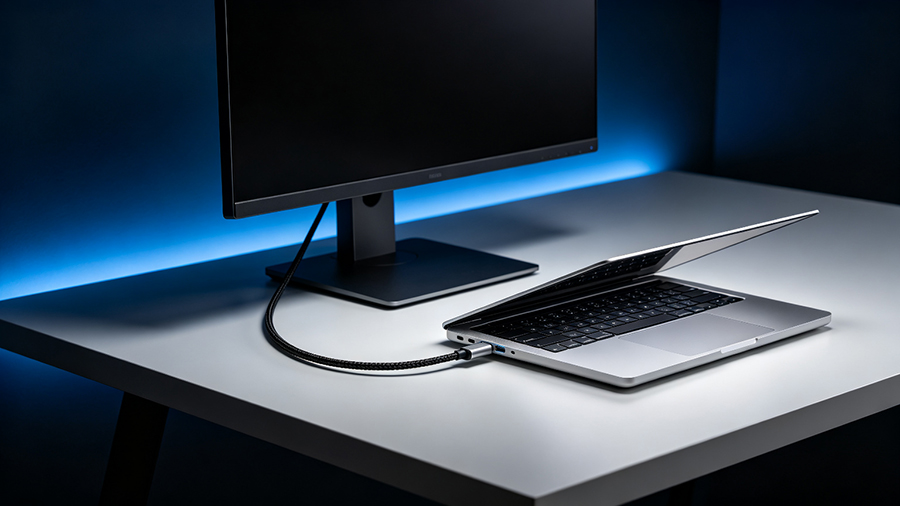
What Is a USB-C to DisplayPort Cable?
A USB-C to DisplayPort cable (often searched as USB-C to DP или USB-C to DisplayPort) connects a laptop, tablet, or desktop that has a USB-C or Thunderbolt port to a monitor, TV, or projector with a DisplayPort input. On the USB-C end, the cable carries a native DisplayPort video signal through a feature called Режим DisplayPort Alt. On the other end, it plugs straight into the monitor’s DP port.
Because the signal stays DisplayPort end to end, there is no chip-based conversion inside the cable. That makes a USB-C to DisplayPort cable one of the most reliable and lowest-latency ways to connect a modern laptop to a DP monitor — and it is the usual pick for 4K 60Hz USB-C to DisplayPort setups, high-refresh gaming monitors, and multi-monitor desks.
Three products do this job: a USB-C to DisplayPort cable (one-piece), a USB-C to DisplayPort adapter (a small dongle you attach to any full-featured USB-C cable), and a USB-C docking station with DisplayPort output. All three use the same underlying DisplayPort Alt Mode technology — the difference is features, price, and desk setup. We compare them in detail below.
How Does DisplayPort Over USB-C Work? (DP Alt Mode)
A USB-C connector has 24 pins, including four high-speed data lanes plus pins for power and USB 2.0. Normally those four lanes carry USB 3.x data. In Режим DisplayPort Alt, the port negotiates a “tunnel”: it reassigns the four high-speed lanes to carry DisplayPort video instead, while power delivery and USB 2.0 keep working alongside.
That is why the port and the cable both matter. Your laptop’s USB-C port must be wired for DP Alt Mode (look for a “D” or “DisplayPort” logo next to the port, or a Thunderbolt bolt), and the cable must be a full-featured USB-C cable with all four high-speed lanes — not a cheap charge-only cable. On a Thunderbolt 3, Thunderbolt 4 or Thunderbolt 5 port the same thing happens automatically, because Thunderbolt controllers carry DisplayPort traffic as a native tunnel.
USB-C vs Thunderbolt: What’s the Difference for DisplayPort?
People searching for a Thunderbolt to DisplayPort cable are usually really asking: “Will my Thunderbolt 3 or Thunderbolt 4 port output video to a DP monitor?” The answer is yes — with a few caveats worth understanding.
USB-C is just the physical connector shape. Whether it carries video depends on the port’s wiring and the manufacturer’s implementation. A plain USB-C 3.2 port may or may not support Режим DisplayPort Alt. Thunderbolt 3, Thunderbolt 4, Thunderbolt 5 и USB4 are full protocols that run on the same USB-C connector and always include DisplayPort tunneling, plus much higher data bandwidth. In short: every Thunderbolt port is USB-C, but not every USB-C port is Thunderbolt — and not every USB-C port can drive a display.
| ort / Protocol | Max Data Bandwidth | DisplayPort Video | PCIe | Зарядка | Verdict for DP |
|---|---|---|---|---|---|
| USB-C (USB 3.2 Gen 1 / 2) | 5 / 10 / 20 Gbps | Only if the port supports DP Alt Mode — check the “D” logo | Нет | Varies (up to 100W with PD) | Depends on port |
| USB4 (20 / 40 Gbps) | 20–40 Gbps | Yes — DisplayPort tunneling is required | Дополнительно | До 100 Вт | Great |
| Thunderbolt 3 | 40 Гбит/с | Yes — guaranteed min. one 4K 60Hz display | 16 Gbps | До 100 Вт | Great |
| Thunderbolt 4 | 40 Гбит/с | Yes — guaranteed min. two 4K 60Hz displays | 32 Gbps | До 100 Вт | Best |
| Thunderbolt 5 | 80 Gbps (boost to 120 Gbps) | Yes — dual 8K or triple 4K class support | 64 Gbps | До 240 Вт | Best |
So which cable do I need for a Thunderbolt laptop?
Any Thunderbolt 3 to DisplayPort или Thunderbolt 4 to DisplayPort cable is just a USB-C to DisplayPort cable with marketing on the box. Because Thunderbolt ports tunnel DisplayPort natively, a standard USB-C to DP cable works perfectly on a MacBook Pro with Thunderbolt 4, a Windows laptop with Thunderbolt 3, or a USB4 machine. The reverse is also true: a cable sold as “USB-C to DisplayPort” runs fine on a Thunderbolt port.
The one thing to avoid is paying a premium for a “Thunderbolt-certified” cable when you only need video — a certified Thunderbolt to DisplayPort cable is worth it mainly when you also use it for 40 Gbps data transfer and 100W charging between Thunderbolt devices.
DisplayPort 1.2, 1.4 vs 2.1: Bandwidth and What Each Cable Supports
Inside every USB-C to DisplayPort connection is a DisplayPort link, and the version of that link decides the maximum resolution and refresh rate you can run. The three numbers you’ll see on cable boxes are DisplayPort 1.2, DisplayPort 1.4 и DisplayPort 2.1 (2.0 was folded into 2.1). Higher link rates — HBR2, HBR3, and the UHBR10 / UHBR13.5 / UHBR20 modes of DP 2.1 — directly translate to more pixels per second.
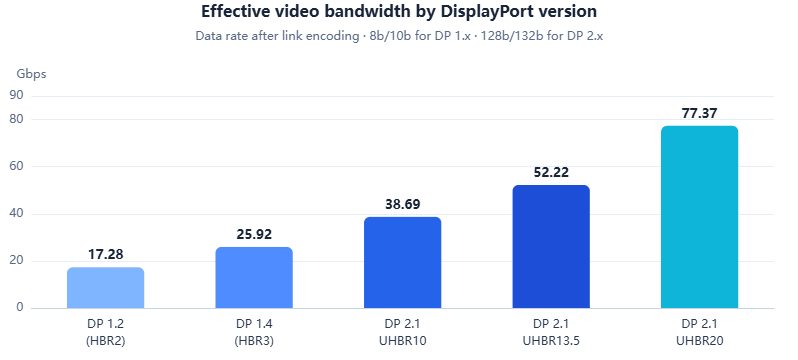
| DisplayPort Version | Link Rate | Raw Bandwidth | Effective Data Rate | Native Max (uncompressed) | With DSC |
|---|---|---|---|---|---|
| DP 1.2 | HBR2 | 21.6 Gbps | ~17.3 Gbps | 4K @ 60 Гц | - |
| DP 1.3 / 1.4 | HBR3 | 32,4 Гбит/с | ~25.9 Gbps | 4K @ 120Hz | 4K @ 144–240Hz, 8K @ 60Hz |
| DP 2.1 (UHBR10) | UHBR10 | 40 Гбит/с | ~38.7 Gbps | 4K @ 240Hz, 8K @ 60Hz | 8K @ 120Hz+ |
| DP 2.1 (UHBR13.5) | UHBR13.5 | 54 Gbps | ~52.2 Gbps | 8K @ 120Hz class | Higher refresh + HDR |
| DP 2.1 (UHBR20) | UHBR20 | 80 Гбит/с | ~77.4 Gbps | 8K @ 120Hz, 16K support | Beyond 16K |
Resolution & Refresh Rate Guide: Which USB-C to DP Cable Do I Need?
Use the table below to match your monitor’s target resolution and refresh rate to the minimum USB-C to DisplayPort cable requirement. It applies to cables, adapters, and the DisplayPort output of a USB-C docking station alike.
| Target Display Mode | Minimum Cable / Standard | What You Need |
|---|---|---|
| 1080p @ 60 Гц — office, secondary monitor | DP 1.2 (HBR2) | Any USB-C to DisplayPort cable works; even older adapters handle it easily |
| 1440p @ 144Hz — esports / productivity | DP 1.2–1.4 | A solid DP 1.2 cable can manage it; a DP 1.4 USB-C to DP cable gives headroom |
| 4K @ 60 Гц — most common ask | DP 1.2 (HBR2) | The classic 4K 60Hz USB-C to DisplayPort cable; nearly any modern option |
| 4K @ 120Hz — console-style / gaming | DP 1.4 (HBR3) | Must say DP 1.4 / HBR3 on the box; 10-bit color needs DSC |
| 4K @ 144Hz / 165Hz — competitive gaming | DP 1.4 + DSC, or DP 2.1 | A 4K 144Hz USB-C to DisplayPort cable is a DP 1.4 HBR3 cable with DSC support |
| 4K @ 240Hz — esports flagship | DP 2.1 (UHBR10+), or DP 1.4 + DSC | Ищите 240Hz USB-C to DP cables rated UHBR10 or higher |
| 8K @ 60Hz — pro video / HDR | DP 2.1 (UHBR10), or DP 1.4 + DSC | . 8K USB-C to DisplayPort cable; confirm the monitor’s DP version |
| 8K @ 120Hz — top-end | DP 2.1 (UHBR20) | Rare today; needs a full DP 2.1 chain from port to panel |
USB-C to DP Cable vs Adapter vs Docking Station: Which Should You Buy?
You’ll meet three product shapes when shopping for USB-C to DisplayPort connectivity. All three deliver the same native DisplayPort signal — they differ in convenience, extra features, and price.
| Продукт | Видеовыход | Extra Ports | Зарядка | Multi-Monitor | Typical Price | Лучшее для |
|---|---|---|---|---|---|---|
| USB-C to DP cable | Yes — one DP output | Нет | Usually no (video-only) | Нет | $10 – $30 | Clean single-monitor setup, zero dongles |
| USB-C to DisplayPort adapter | Yes — one DP output | Нет | Usually no | Нет | $10 – $25 | Travel, or reusing an existing USB-C cable |
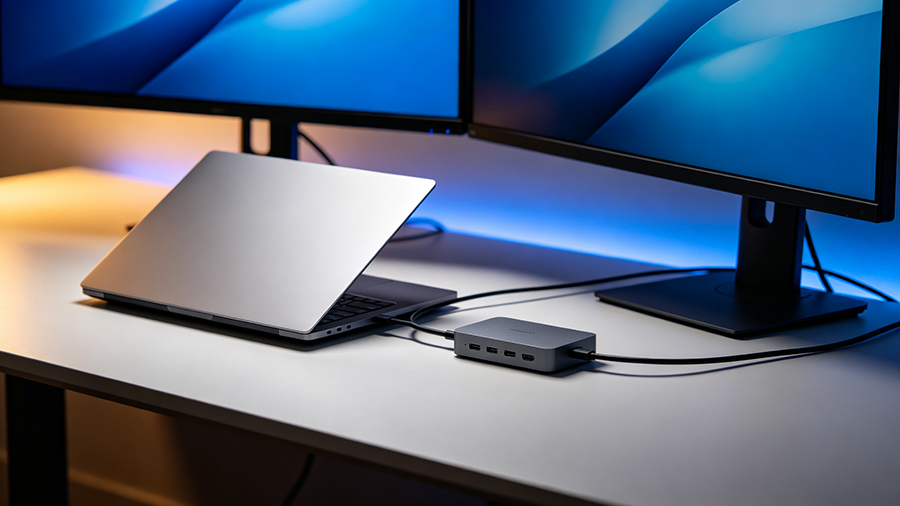
| USB-C docking station / hub with DisplayPort | Yes — often 1–2 DP outputs | USB-A, Ethernet, HDMI, SD, audio | Yes — PD passthrough to laptop | Yes — with MST | $40 – $250 | One-cable desk: video + data + charging |
USB-C to DisplayPort FAQ
- Is a USB-C to DisplayPort cable bidirectional?Most USB -C to DisplayPort cables are unidirectional – they send video from a USB-C or Thunderboltsource to a DisplayPort monitor. A few models are marketed as bidirectional USB-C to DisplayPort cables and can pass signal either way, but both ends must support DP Alt Mode for the reverse direction to work.
- Does Thunderbolt support DisplayPort output?Yes. Every Thunderbolt 3, Thunderbolt 4 and Thunderbolt 5 port uses the USB-C connector and carriesDisplayPort video natively, so a Thunderbolt to DisplayPort cable simply works with any DP monitor.Thunderbolt 4 guarantees at least dual 4K 60Hz output from certified PCs.
- Do I need a special cable for 4K 144Hz?Yes. For 4K 144Hz you need a USB-C to DisplayPort cable that supports HBR3 (DP 1.4) with DSC, or a DisplayPort 2.1 cable at UHBR10 or higher. A basic DP 1.2 cable tops out around 4K 60Hz and will bottleneck the refresh rate.