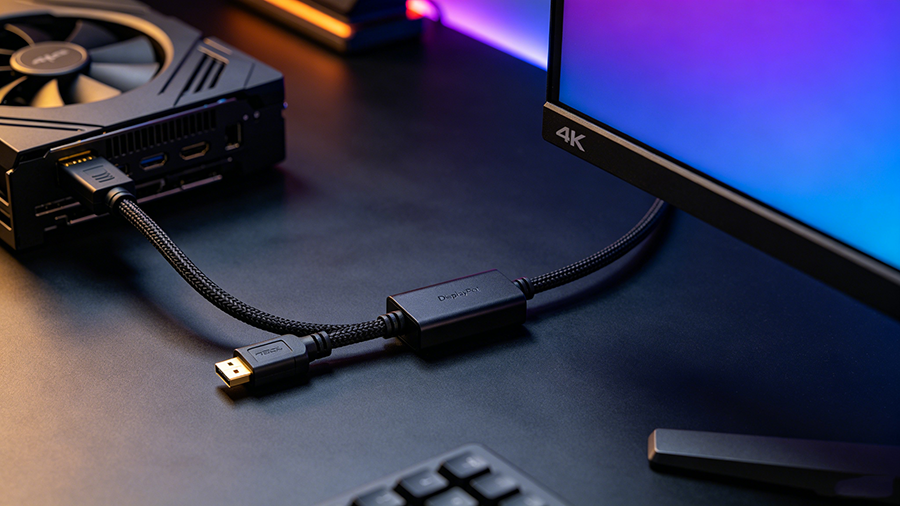
“DisplayPort to HDMI adapter” is one of the most searched cable questions on Google — and most of the frustration behind it (black screens, no signal, stuck at 30Hz) comes from buying the wrong type. There are two fundamentally different products on the shelf: a passive displayport to hdmi adapter and an active displayport to hdmi adapter. They look similar, cost different amounts, and one of them will not work in your setup at all.
This guide explains how active vs passive adapters actually work, why dp to hdmi и hdmi to displayport are not interchangeable, what DP++ (Dual-Mode DisplayPort) really means, and exactly which one you need for 4K 60Hz, 144Hz gaming, multi-monitor desks, or your PS5. No jargon — just a clear decision guide at the end.
DisplayPort to HDMI at a Glance
| Характеристика | Passive Adapter | Active Adapter |
|---|---|---|
| Conversion chip inside | Нет | Yes (Parade PS175/176, RTD2173, etc.) |
| Depends on DP++ support | Да | Нет |
| Direction | DP to HDMI only | DP to HDMI, or HDMI to DP (separate models) |
| Typical max output | 1080p 60Hz / 4K 30Hz | 4K 60Hz, 4K 120–144Hz, 8K 60Hz |
| HDR support | Ограниченный | Yes (HDR10) |
| Multi-monitor use | Often restricted | Yes (Eyefinity / Surround) |
| Аудио | Via DP++ passthrough | Full (up to 7.1ch, Dolby Atmos) |
| Цена | ~$5–15 | ~$20–50+ |
Why Do You Need a DisplayPort to HDMI Adapter at All?
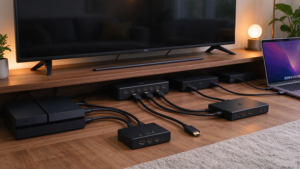
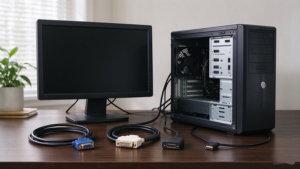
Graphics cards, laptops and docks increasingly ship with DisplayPort (or Mini DisplayPort / USB-C DP Alt Mode) outputs, while TVs, projectors, and many office monitors still only accept HDMI. When those two worlds meet, you need a dp to hdmi adapter (or a dp to hdmi cable, which is the same thing built into a cable). Common setups:
- A desktop GPU with spare DisplayPort ports and a monitor that only has HDMI.
- A laptop or docking station connecting to an HDMI TV or projector in a meeting room.
- A second or third monitor added to a workstation when the GPU runs out of matching ports.
- An old TV or projector with HDMI 1.4 input used as a large external display.
How Passive DisplayPort to HDMI Adapters Work
A passive displayport to hdmi adapter contains no electronics at all — it is basically a pin remapper. It relies on a feature called DP++ (Dual-Mode DisplayPort): when the GPU detects a passive adapter, it switches its DisplayPort output into an HDMI-compatible TMDS signal, and the adapter simply routes the pins to an HDMI socket. The graphics card does the conversion, not the adapter.
That works great — until it doesn’t. DP++ support varies by GPU and by port. Many graphics cards limit DP++ output on multi-monitor setups, some laptops and professional GPUs don’t expose DP++ at all, and USB-C in DisplayPort Alt Mode does not support DP++, so a passive dongle may simply produce a black screen. Even when it works, passive conversion is usually capped at 1080p 60Hz or 4K 30Hz, with no reliable HDR.
How Active DisplayPort to HDMI Adapters Work
. active displayport to hdmi adapter contains a real conversion chip (commonly Parade PS175/PS176, Realtek RTD2173, or Megachips MCDP28x0) that decodes the DisplayPort packet stream and re-encodes it as a full HDMI signal. It works with любой DisplayPort source, whether or not DP++ is supported, which makes it the dependable choice for laptops, docks, workstations and multi-monitor rigs.
Because the conversion happens in the adapter, active models can push far more bandwidth: certified units reach 4K 60Hz (HDMI 2.0, 18 Gbps), and premium DP 1.4 → HDMI 2.1 adapters hit 4K 120–144Hz or 8K 60Hz with HDR10, VRR support, and up to 7.1-channel audio. Many draw extra power from a USB cable — a good sign, not a flaw.
Active vs Passive: Full Comparison
| Технические характеристики | Passive DP to HDMI | Active DP to HDMI |
|---|---|---|
| Signal conversion | Done by the GPU (DP++) | Done by a built-in chip |
| Requires DP++ source | Да | Нет |
| Max resolution | 1080p 60Hz / 4K 30Hz (quality-dependent) | 4K 60Hz standard; 4K 144Hz / 8K 60Hz premium |
| HDMI version out | HDMI 1.4-class | HDMI 2.0 or 2.1 |
| HDR / HDCP | Limited / varies | HDR10, HDCP 2.2+ |
| Multi-monitor | Often blocked by GPU limits | Recommended (Eyefinity / Surround) |
| Аудио | Passthrough if DP++ supports it | Up to 7.1ch / 192kHz, Dolby Atmos & DTS:X |
| External power | Нет | Often USB-powered (premium models) |
| Compatibility risk | High (black screens, 30Hz) | Низкий |
| Цена | $5–15 | $20–50+ |
Часто задаваемые вопросы
Does a DisplayPort to HDMI adapter support 4K 60Hz?
Passive adapters only reach 4K 60Hz if your GPU supports DP++ at sufficient bandwidth — many cap at 4K 30Hz. An active adapter rated for HDMI 2.0 delivers stable 4K 60Hz on any DP source.
Can I use a DisplayPort to HDMI cable in reverse?
No. These adapters are strictly one-way. Connecting an HDMI source to a DP monitor requires a separate, active HDMI to DisplayPort converter.
Why is my display stuck at 30Hz with a DP to HDMI adapter?
Almost always a bandwidth limit: a passive adapter or HDMI 1.4-class path can’t carry 4K 60Hz. Upgrade to an active HDMI 2.0/2.1 adapter and verify the monitor’s HDMI port.
Do I need a special adapter for PS5 to a DisplayPort monitor?
Yes. The PS5 outputs HDMI only, so you need an active HDMI to DisplayPort converter with USB power. Standard “DP to HDMI” cables will not work with consoles.
Do DisplayPort to HDMI adapters carry audio?
Most quality adapters do — up to 7.1-channel / 192kHz audio, and premium HDMI 2.1 models support Dolby Atmos and DTS:X. Check the spec sheet, as cheap passive dongles may drop audio.