Introduction
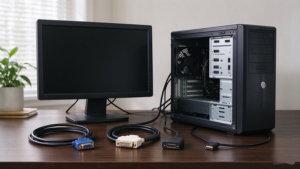
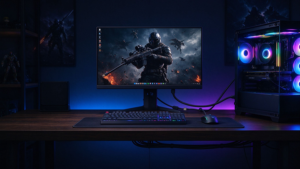
HDMI cable flickering et random HDMI black screen issues remain the most prevalent and frustrating audio-visual problems for 4K 60Hz, 4K 120Hz, and 8K home theater and gaming setups across the US, UK, and Europe in 2026. Every month, millions of global users search for solutions to why my HDMI cable keeps dropping signal, 4K TV flickering HDMI, PS5 HDMI black screen randomlyet Xbox HDMI signal dropout, making HDMI signal instability one of the top-searched AV troubleshooting topics.
Whether you rely on a standard Câble HDMI 2.0 or a premium certified HDMI 2.1 cable, persistent screen flickering, intermittent momentary blackouts, and frequent HDMI signal dropout can completely disrupt immersive gaming sessions, 4K/8K movie streaming, and professional monitor workflows. Crucially, over 90% of HDMI flickering and black screen errors are not caused by faulty smart TVs, gaming consoles, or PCs — they stem from low-quality cables, mismatched HDMI specifications, poor EMI shielding, and improper cable installation setups.
In this fully SEO-optimized HDMI troubleshooting guide, we break down all root causes of HDMI flickering and black screen errors and share simple, actionable step-by-step fixes for popular devices including PS5, Xbox Series X/S, gaming PCs, 4K/8K smart TVs, soundbars, and multi-room home theater systems.
Most Popular User Questions
These are the top trending search queries from Google, Amazon Q&A, and Reddit home theater communities that we answer in this guide:
-
Why does my HDMI cable keep flickering?
-
Why does my HDMI screen go black randomly?
-
What causes HDMI signal dropout on 4K TVs?
-
How to fix PS5 HDMI flickering and black screen?
-
Why does my Xbox Series X HDMI keep losing signal?
-
Can a bad HDMI cable cause flickering?
-
Does HDMI 2.1 need a special cable to stop black screen?
-
Long HDMI cable black screen issues — how to fix?
HDMI Flickering & Black Screen Fault Diagnosis Table
Use this table to quickly locate faults according to your device and symptoms, suitable for DIY users and independent store customer guidance:
|
Fault Symptom
|
Main Cause
|
Matching High-Search Keywords
|
Fast Solution
|
|---|---|---|---|
|
4K 120Hz game screen flickers severely
|
Uncertified HDMI 2.1, insufficient bandwidth
|
PS5 HDMI flickering, 4K 120Hz HDMI flicker
|
Replace with certified Ultra High Speed HDMI 2.1 cable
|
|
Random black screen dropout during video playback
|
EMI interference, poor shielding
|
HDMI signal dropout, TV black screen intermittently
|
Use double-shielded HDMI cable, separate power and signal lines
|
|
Long-distance wall wiring signal unstable
|
Copper cable signal attenuation over long distance
|
long HDMI cable black screen, in-wall HDMI issues
|
Upgrade to AOC fiber HDMI cable
|
|
Black screen when turning on VRR/ALLM
|
Cable does not support gaming protocol
|
VRR HDMI black screen, Xbox HDMI flicker
|
Use VRR/ALLM compatible HDMI 2.1 cable
|
|
Soundbar connection flickers and no sound
|
eARC transmission mismatch
|
eARC HDMI troubleshooting, HDMI soundbar issues
|
Enable eARC and replace high-spec HDMI cable
|
How to Tell If Your HDMI Cable Is Bad
To help users quickly judge cable quality, we summarize 6 core symptoms of bad HDMI cables :
-
Intermittent screen flickering during high-resolution playback
-
Random black screen dropout without device shutdown
-
Unable to lock 4K 120Hz / 8K resolution
-
Serious screen static and snowflake noise
-
VRR and ALLM functions fail to activate
-
eARC Dolby Atmos audio disconnection
Ultimate Solution: Choose Stable & Certified HDMI Cables
90% of HDMI flickering and black screen problems originate from inferior, uncertified, mismatched, or damaged HDMI cables — not faulty smart TVs, gaming consoles, monitors, or audio devices. Upgrading your HDMI cable is the most cost-effective fix for persistent HDMI signal issues for gaming and home theater users.
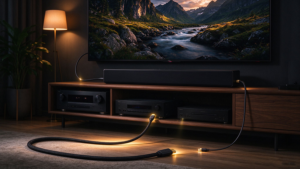
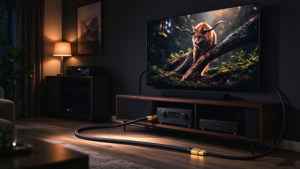
For US, UK, and European consumers, the most reliable long-term solution is to select HDMI Forum certified Ultra High Speed HDMI 2.1 cables equipped with double EMI shielding, durable nylon braided reinforcement, and full CE/FCC compliance for safe, stable use. For long-distance in-wall home theater wiring over 10 meters, premium AOC active optical HDMI cables completely eliminate long-range signal attenuation, HDMI flickeringet signal dropout issues.
Final FAQ
Q1: Can a bad HDMI cable cause flickering?
A: Yes. Low-bandwidth, poorly shielded, or damaged HDMI cables are the #1 cause of TV and monitor screen flickering and random black screens.
Q2: Why does my HDMI keep black screening on PS5?
A: PS5 requires full 48Gbps HDMI 2.1 bandwidth. Fake or low-quality cables cannot support high-speed gaming signals, causing frequent black screen dropout.
Q3: Does HDMI 2.0 cable flicker on 4K 120Hz?
A: Yes. HDMI 2.0 only supports 18Gbps bandwidth, which is insufficient for 4K 120Hz, resulting in continuous flickering and signal loss.
Q4: How to stop HDMI interference flickering?
A: Use double-shielded HDMI cables and avoid routing HDMI cords alongside power cables to reduce EMI electromagnetic interference.