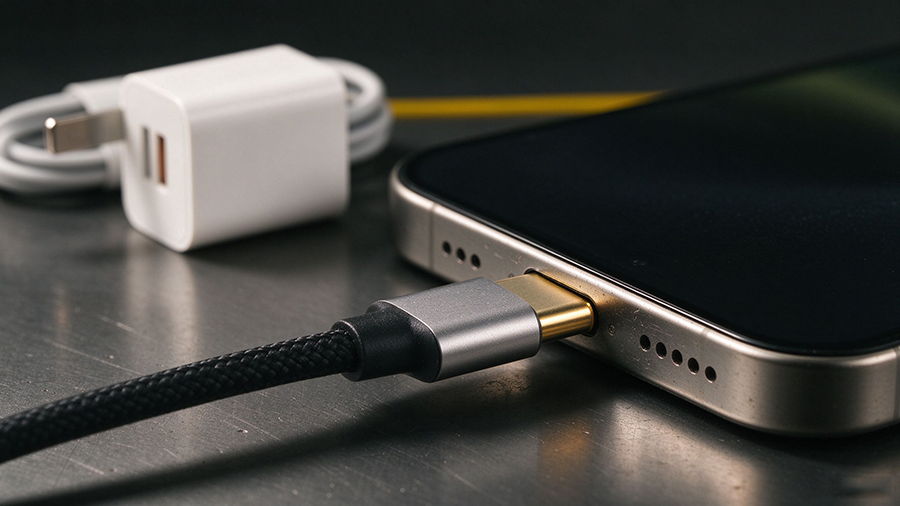
Why 3 amps is the number that matters
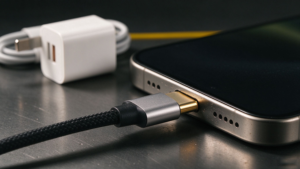
A USB-C cable is a pipe. The adapter and the phone decide how much goes through it, and the cable’s only job is not to be the narrowest part. For charging an iPhone, that pipe never has to carry more than 3 A.
You can check this without opening the phone. Apple’s published guidance for iPhone 17, 17 Pro, 17 Pro Max and iPhone Air lists the specifications a third-party adapter should meet, and every option tops out at 3 A: 9 V at 3 A, 5 V at 3 A, or the adjustable-voltage modes at 20 V and 2 A. Even the 40 W Dynamic Power Adapter with 60 W max is rated for a sustained 40 W, which at iPhone voltages lands inside that same 3 A envelope.
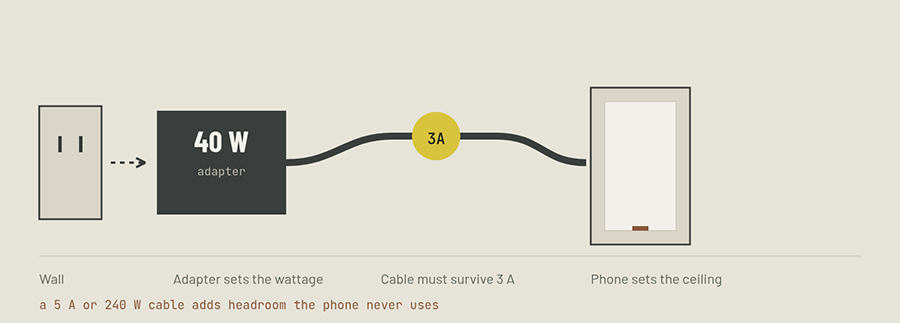
This is the part that gets lost in product copy. A 5 A, 240 W, electronically marked cable is a genuinely better cable — better conductors, thicker gauge, an E-marker chip that tells the charger what it can do. But an iPhone will not negotiate past 3 A no matter what the cable is rated for, so none of that headroom turns into speed. You are buying durability and future-proofing, not minutes.
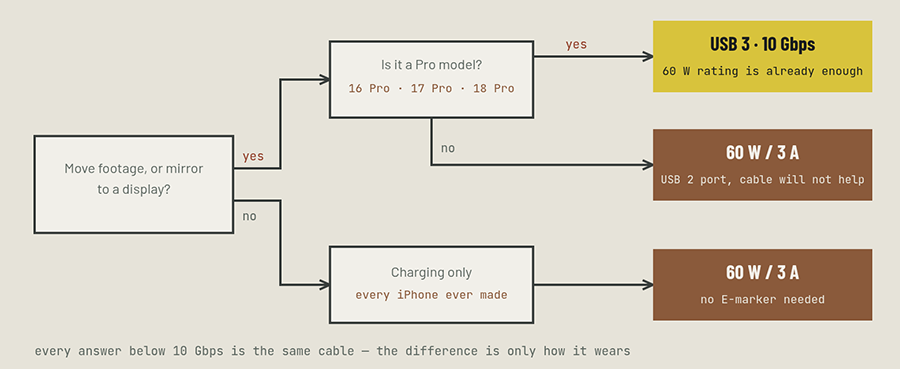
The corollary is more practical: a plain 60 W, 3 A USB-C to USB-C cable is electrically sufficient for fast charging every iPhone Apple currently ships, including the 17 Pro. If a listing sells you a 240 W cable as the way to charge your phone faster, it is selling you the wrong axis.
Where the cable really is the bottleneck: data
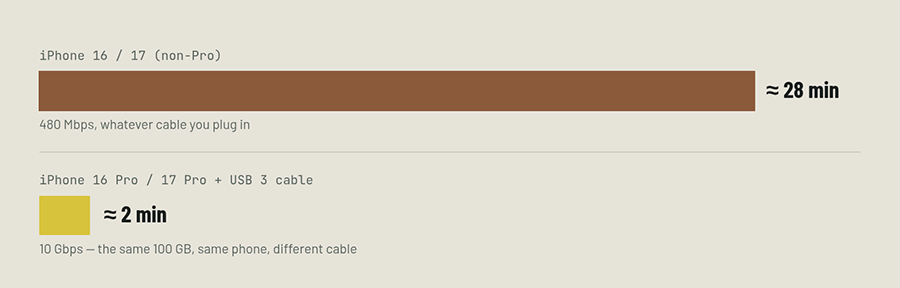
Here the spec sheet stops being marketing and starts being decisive. Every iPhone since the 15 uses the same connector, but only the Pro models have a USB 3 controller behind it — and the cable in the box is not a USB 3 cable.
Apple states it directly: the USB-C cable that ships with your iPhone supports charging and USB 2 speeds. On a 16 Pro or 17 Pro, that means the free cable caps the phone at 480 Mbps, roughly twenty times below what the port can do.
| Modèle | Fast charge needs | Data speed | Cable that matters |
|---|---|---|---|
| iPhone 16 / 16 Plus / 16e | USB-C PD adapter, 18 W or higher | USB 2 · 480 Mbps | Any 60 W / 3 A cable. A 10 Gbps cable changes nothing. |
| iPhone 16 Pro / Pro Max | USB-C PD adapter, 18 W or higher | USB 3 · 10 Gbps | USB 3 cable rated for 10 Gbps, for ProRes to an SSD. |
| iPhone 17 | 40 W adapter for 50% in ~20 min | USB 2 · 480 Mbps | Any 60 W / 3 A cable, 1 m or 2 m. |
| iPhone 17 Pro / Pro Max | 40 W adapter for 50% in ~20 min | USB 3 · 10 Gbps | USB 3 cable rated for 10 Gbps for data; 60 W is enough for charging. |
| iPhone 17e / Air | 20 W adapter for 50% in ~30 min | USB 2 · 480 Mbps | Any 60 W / 3 A cable. Port is the limit, not the cable. |
| iPhone 18 Pro / Duonow shipping | 60 W or higher cable + AVS adapter | USB 3 · 10 Gbps | First model where the cable’s 60 W rating is named in Apple’s own fast-charge conditions. |
What each line on the box actually buys you
| Spec on the box | Faster charging? | Faster data? | Verdict for an iPhone |
|---|---|---|---|
| 60 W / 3 A | Yes — this is the one | Non | The correct charging cable for every iPhone. Nothing above it helps. |
| 100 W / 5 A, E-marked | Non | Non | Useful on a laptop, unused headroom on a phone. Buy it for the gauge, not the speed. |
| 240 W EPR | Non | Non | Five times the current an iPhone will ever request. Durability and future-proofing only. |
| USB 3 / 10 Gbps | Non | Yes — on Pro only | The only spec that changes what an iPhone can do. Wasted on a non-Pro. |
| Braided jacket | Non | Non | Wear and feel. Worth it if the cable lives in a bag or a car. |
| Right-angle plug | Non | Non | Protects the port in a mount or a controller. Structural, not electrical. |
Read that table as a filter. Four of the six lines do nothing for charging or data; two of them — 60 W and USB 3 — are the only ones that change an outcome. Everything else you are buying for wear, fit or convenience, which is legitimate, as long as it is priced as what it is.
Which cable for which job
- Nightstand and desk. A 60 W cable at 1 m or 2 m, right-angle if the phone sits on a stand. The adapter does the work; buy a 40 W PD one for a 17-series phone.
- Car. Short, right-angle, and honest about heat — a phone in a mount on a sunny dashboard is the hardest environment in this article. Braid helps abrasion; nothing helps a cable left in direct sun.
- Travel. One 60 W cable plus one 10 Gbps cable if you carry an SSD. Both short, both labelled by you, not by the box.
- Volume buying for resale. Two SKUs, not five: 60 W for the base models and a 10 Gbps USB 3 for the Pro buyer. The 240 W SKU belongs in a laptop-facing range, not the iPhone shelf.
Three things that are not cable problems
“Fast charging not working.” Almost always the adapter: an 18 W brick with a 17-series phone will charge, just not at the advertised rate. Apple’s threshold for the 17 family is 40 W, and for 17e and Air it is 20 W.
“The phone gets warm when charging.” At 40 W in a thin chassis, some heat is the design. A cable with heavier conductors reduces resistive loss by a fraction of a watt at 3 A; it does not make the battery cooler.
“My old Lightning accessories.” They do not work, and neither do Lightning cables, with or without an adapter worth trusting. The switch from iPhone 14 to 15 changed the connector, the charging protocol and the data path at once.