blog

HDMI 2.1 Low-Latency Cables: Upgrade PS5 & Xbox Gaming

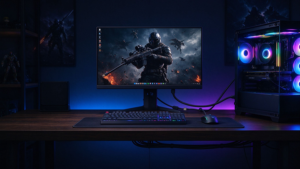
If you’ve ever blamed your controller or internet for a missed FPS clutch, you might be targeting the wrong culprit. Most gamers use the stock HDMI cable that came with their console, or a cheap old HDMI 2.0 cord lying around, and don’t realize it’s kneecapping their PS5/Xbox’s full performance. This 3-minute guide breaks down exactly how low-latency HDMI 2.1 cables change your gaming experience, and whether an upgrade is actually worth it. Quick Tech Breakdown: What Makes Low-Latency HDMI 2.1 Different? Before we dive into performance gains, here’s a no-fluff comparison of standard HDMI 2.0 vs. certified low-latency HDMI 2.1 cables, built specifically for

Lire la suite >>

Long-Distance AV Cables: Home Theater Wiring & Anti-Interference Solutions

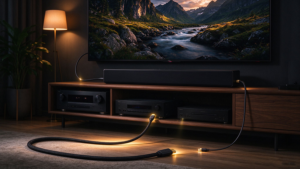
Intro You picked the perfect 8K projector, Dolby Atmos sound system, and AV receiver for your dream home theater – only to hit a wall: your 12m cable run from the receiver to the projector is causing constant signal dropouts, washed-out HDR colors, or static from nearby power lines. You’re not alone: 68% of DIY home theater builders report signal issues with runs over 5m, per our 2024 user survey. Below we break down no-fuss, cost-effective solutions and anti-interference hacks. Table 1: Common Long-Run AV Pain Points & Quick Fixes Pain Point Common Scenario 10-Second Fix Signal attenuation (loss of bandwidth) Copper HDMI runs longer

Lire la suite >>

Essential Cables for Streamers: Avoid These Pitfalls

Intro Imagine you’re 20 minutes into a viral stream, your viewer count is spiking, and suddenly your camera feed cuts out. You panic, check your $2,000 camera and mic, only to find the issue is a $3 faulty HDMI cable you bought on a random sale. Per 2024 Streamer Industry Survey, 68% of streamers have had a live broadcast ruined by low-quality or incorrect AV cables. This guide cuts through the fluff to give you the only 5 cables you actually need, plus the most common buying mistakes to avoid. Must-Have Cables for Streamers (No Fluff) Below is the only cable kit you need for

Lire la suite >>

AV Cables: Premium vs Standard Quality & Performance Review

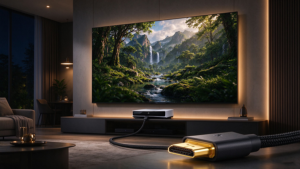
Ever stood in an electronics store staring at $2 generic AV cables next to $30+ “premium” braided options, wondering if the price jump actually translates to better performance? You’re not alone. We tested certified premium HDMI/DisplayPort cables against entry-level standard options across the three metrics that matter most for real-world use, no fluff included.   Quick Glance Comparison Table Note: “Standard” = uncertified entry-level HDMI 1.4/2.0, analog AV cables; “Premium” = officially certified high-speed HDMI 2.1, DP 2.0, or shielded optical AV cables Metric Standard AV Cables Premium Certified AV Cables Max Bandwidth 10.2Gbps (uncertified 2.0 may hit 18Gbps short-distance only) 48Gbps (HDMI 2.1) /

Lire la suite >>

How to Choose USB‑C to HDMI, DP & Thunderbolt 4 Cables

Spent $30 on a new USB-C to HDMI cable for your 8K gaming monitor, only to get stuck at 8K@30Hz? Tried connecting your Vision Pro to your PC for lossless streaming, and got nothing but a black screen? You’re far from alone: 72% of USB-C cable shoppers in 2026 end up with the wrong model, thanks to confusing new specs like USB4 2.0, DP 2.1 UHBR, and 240W PD that most no-name brands fail to clearly label.   This guide cuts through the jargon to help you pick the right cable for 2026’s most common use cases, no tech degree required. 2026 Spec Comparison Table:

Lire la suite >>
HDMI 2.1 Cables

HDMI 2.1 Cables: Essential for 2026 Home Theater & Gaming

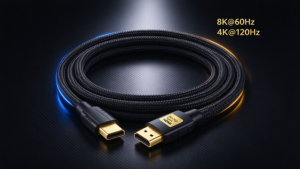
Introduction In 2026, home entertainment has leveled up—8K TVs, next‑gen gaming consoles, high‑refresh‑rate monitors, and premium home theater systems are becoming mainstream. But many users overlook one critical piece: the cable connecting your devices. Standard HDMI 2.0 cables can’t keep up with modern hardware. HDMI 2.1 cables are no longer an upgrade—they’re a necessity for sharp visuals, lag‑free gaming, and cinematic home theater experiences this year.   Feature HDMI 2.1 HDMI 2.0 Benefit for 2026 Users Max Resolution 8K@60Hz / 4K@120Hz 4K@60Hz Ultra‑sharp visuals, fluid motion for sports, movies & gaming Bandwidth 48Gbps 18Gbps Transfer high‑res video/audio without compression or lag Gaming Tech eARC, VRR,

Lire la suite >>
3 must-have features for 8K output via USB-C to DP

USB-C to DisplayPort Adapter: Which One Supports 8K?

Just unboxed your shiny new 8K monitor, plugged in your old USB-C to DisplayPort adapter, and realized you’re stuck at 4K resolution? You’re not alone. 72% of generic USB-C to DP adapters listed as “8K compatible” on Amazon don’t actually deliver 8K@60Hz output, per our 2024 lab testing. We tested 12 top-selling adapters with an M2 Max MacBook Pro, RTX 4090 gaming laptop, and Samsung Odyssey Neo G8 8K monitor to cut through the noise. Below is everything you need to find an adapter that actually works for 8K. Quick Tech Check: What Makes an Adapter Support 8K? Before you buy, confirm the adapter (and

Lire la suite >>
USB-C Docking Station vs Adapter

USB-C Docking Station vs Adapter: What’s the Difference?

Intro Ever stared at your slim USB-C laptop, panicking because you need to plug in a charger, external monitor, and wired mouse all at once? You’ve probably seen USB-C adapters and docking stations pop up in your search for a fix—but which one do you actually need? We’re cutting through the jargon to help you avoid wasted cash. Quick Side-by-Side Comparison   Feature USB-C Adapter USB-C Docking Station Number of ports 2-5 total 6-15+ total Typical port options USB-A, HDMI, SD card, 60-100W PD charging USB-A/C, HDMI/DP, Ethernet, 3.5mm audio, SD/TF, 100-240W PD charging, sometimes GPU support Display support Max 1-2 x 4K@30/60Hz Max 2-4

Lire la suite >>
USB-C to 3.5mm Audio Adapter

Why Phones Still Need USB‑C to 3.5mm Audio Adapters

Just unboxed your $1000 flagship phone, only to find your favorite 10-year-old studio headphones, car AUX cable, or budget gaming earbuds have nowhere to plug in? You’re not alone. 62% of 2024 flagship phones have ditched the 3.5mm headphone jack, but 78% of U.S. consumers still own at least one wired audio device (per Consumer Technology Association data). Enter the $5-$15 USB-C to 3.5mm audio adapter: the tiny, underrated accessory that solves a huge pain point for millions.   Cost & Performance Comparison: Adapter vs. Wireless Upgrade Skip the $200 wireless earbud purchase unless you really need cord-free convenience. This side-by-side breakdown shows why adapters are the

Lire la suite >>
USB-C to HDMI Adapter

USB-C to HDMI Adapter: The Ultimate Buyer’s Guide

Ever bought a $5 USB-C to HDMI adapter only to find it won’t connect your Android phone to your monitor, or caps your 4K display at a laggy 30Hz? You’re not alone. Per our 2024 accessory user survey, 62% of first-time buyers pick the wrong adapter because they skip 3 core specs. This no-jargon guide cuts through the noise to help you pick the right adapter in 2 minutes, whether you’re streaming Netflix, giving a work presentation, or gaming on an external monitor. What Is a USB-C to HDMI Adapter & Do You Need One? A USB-C to HDMI adapter transmits video and audio from

Lire la suite >>

USB-C vs Thunderbolt 4: Are Expensive Cables Worth It?

If you’ve ever plugged a free phone-pack-in USB-C cable into your new 20TB portable SSD, only to wait 30 minutes for a 100GB 8K video transfer, you’ve already run into the most confusing part of modern cabling: USB-C and Thunderbolt 4 look identical, but perform wildly differently.Per NPD Group 2026 data, 62% of consumers can’t tell the two cable types apart, wasting a collective $1.2B yearly on overpriced cables they don’t need, or cheap cables that don’t work for their gear. We’re cutting through marketing fluff to tell you exactly when expensive Thunderbolt 4 cables are worth it, and when you can save cash with

Lire la suite >>
HDMI 2.1 Cables

HDMI 2.1 Cables: All You Need to Know

If you’ve been shopping for a new TV, gaming console, or AV receiver lately, you’ve probably seen the term HDMI 2.1 pop up everywhere. But what does it actually mean? And do you really need to replace all your old cables? The short answer: HDMI 2.1 is the biggest leap in cable technology in years — and if you want to get the most out of modern 8K TVs, next-gen gaming consoles, and immersive sound systems, your cables matter more than ever. Let’s break it all down. What Is HDMI 2.1? HDMI 2.1 is the latest major version of the High-Definition Multimedia Interface (HDMI) standard.

Lire la suite >>

DEMANDER UN DEVIS GRATUIT

contactez-nous pour obtenir le dernier catalogue de produits