Every home theater owner eventually asks the same question: “HDMI 2.1 vs 2.0 — do I really need to upgrade?” It’s a fair question, because HDMI cables all look the same and the jargon is confusing.
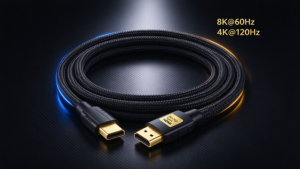
Here’s the honest answer: it depends on what you own and what you want to do. HDMI 2.1 triples the bandwidth from 18Gbps to 48Gbps, which unlocks 4K@120Hz, 8Ket lossless audio. But for standard 4K streaming, an Câble HDMI 2.0 is still perfectly fine.
This guide breaks down the real differences, when you genuinely need HDMI 2.1, and when upgrading is a waste of money.
HDMI 2.1 vs 2.0: The Key Differences
Let’s start with a clean comparison table:
|
Fonctionnalité
|
||
|
Largeur de bande maximale
|
18 Gbps
|
48 Gbps
|
|
Résolution maximale
|
4K @ 60Hz
|
8K @ 60Hz, 4K @ 120Hz
|
|
HDR
|
Static HDR
|
Dynamic HDR (HDR10+, Dolby Vision)
|
|
Audio Return
|
ARC (compressed)
|
eARC (lossless, Dolby Atmos)
|
|
Gaming Features
|
Non
|
VRR, ALLM, QFT, SBTM
|
|
HDCP
|
HDCP 2.2
|
HDCP 2.3
|
|
Cable Name
|
Premium High Speed
|
Ultra haute vitesse
|
|
Meilleur pour
|
Standard 4K streaming
|
8K TVs, high-refresh gaming
|
The single most important difference is bandwidth: 48Gbps vs 18Gbps. That’s roughly three times the data capacity, and it’s what makes everything else possible.
Do You Need HDMI 2.1? (Quick Decision Guide)
|
Your Setup
|
HDMI 2.0 Enough?
|
HDMI 2.1 Needed?
|
|
4K streaming (Netflix, YouTube)
|
Oui
|
Non
|
|
Standard 4K TV, movies only
|
Oui
|
Non
|
|
PS5 / Xbox Series X gaming
|
Non
|
Oui
|
|
PC gaming at 4K 120Hz
|
Non
|
Oui
|
|
8K TV / 8K content
|
Non
|
Oui
|
|
Dolby Atmos soundbar (eARC)
|
Partial
|
Recommended
|
|
4K Blu-ray player (lossless audio)
|
Partial
|
Recommended
|
Rule of thumb: If you game at high refresh rates, own an 8K TV, or want lossless Dolby Atmos, upgrade to HDMI 2.1. If you mainly stream in 4K at 60Hz, your current HDMI 2.0 setup is fine.
48Gbps vs 18Gbps: Why Bandwidth Matters
Bandwidth is the amount of data a cable can carry per second. Here’s what each level actually supports:
|
Largeur de bande
|
What It Enables
|
|
10,2 Gbps (HDMI 1.4)
|
4K @ 30Hz, 1080p @ 120Hz
|
|
18 Gbps (HDMI 2.0)
|
4K @ 60Hz, static HDR
|
|
48 Gbps (HDMI 2.1)
|
4K @ 120Hz, 8K @ 60Hz, dynamic HDR
|
The jump from 18Gbps to 48Gbps isn’t just about resolution — it’s about frame rate et HDR quality. A 4K@120Hz gaming signal needs more than twice the data of 4K@60Hz, which is exactly why HDMI 2.0 can’t handle it.
When HDMI 2.0 Is Still Enough (Don’t Waste Money)
Not everyone needs to upgrade. Stick with HDMI 2.0 if:
- You stream in 4K at 60Hz — Netflix, YouTube, Disney+ all work fine.
- You watch movies, not competitive games — frame rate doesn’t matter much.
- Your TV only has HDMI 2.0 ports — a 2.1 cable won’t add features the TV doesn’t support.
- You don’t have an 8K TV or next-gen console — the extra bandwidth goes unused.
How to Tell If You Have an HDMI 2.1 Cable
Wondering if your current cable is Ultra haute vitesse? Check these:
- Look for the label — certified HDMI 2.1 cables say “Ultra High Speed HDMI” and show a certification label with a QR code.
- Check the bandwidth — a true 48Gbps cable should state 48Gbps ou 8K support.
- Scan the QR code — the HDMI Forum certification can be verified online.
- Test it — if your PS5 or PC shows 4K@120Hz ou VRR as available, you’re good.
Don’t trust cheap cables that just say “8K” without certification — they often cap well below 48Gbps.
Frequently Asked Questions (FAQ)
Q: Is HDMI 2.1 backward compatible with HDMI 2.0? Yes. HDMI 2.1 cables work with older HDMI 2.0 devices — they just run at the lower speed.
Q: Does HDMI 2.0 support 4K? Yes, HDMI 2.0 soutiens 4K@60Hz. It cannot do 4K@120Hz ou 8K.
Q: Do I need an HDMI 2.1 cable for 4K? For standard 4K@60Hz, no. For 4K@120Hz gaming, yes.
Q: Is HDMI 2.1 worth it for PS5 / Xbox? Yes. PS5 and Xbox Series X use 4K@120Hz, VRRet ALLM, which need HDMI 2.1.
Q: What’s the difference between HDMI 2.1 and 2.1a / 2.1b? Minor specification updates that add features like SBTM et QMS. They use the same Ultra haute vitesse cables.