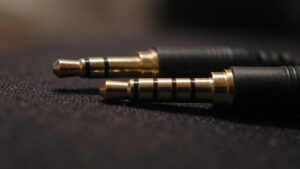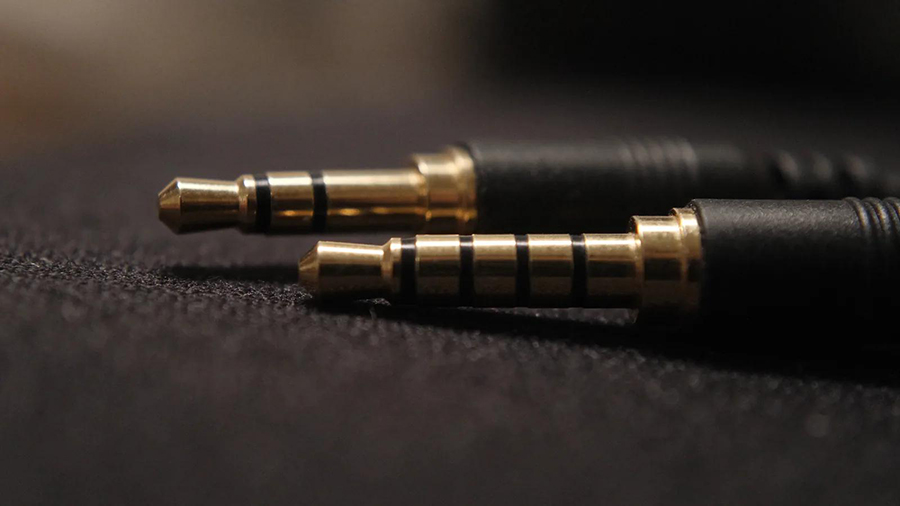
1. TRRS vs TRS: count the rings to tell them apart
The difference is how many conductors the plug exposes and what the device expects to find on each one. A 3.5 mm connector is not a single standard; it is a family of wiring conventions sharing one shell size.

| Enchufe | Contactos | Carries | Typical use |
|---|---|---|---|
| TS | 2 | Mono, unbalanced | Guitar and instrument cables, mono footswitches, legacy mono mics |
| TRS | 3 | Unbalanced stereo o balanced mono | Headphone output, camera mic input, mixer line in/out, balanced monitor feed |
| TRRS | 4 | Stereo + microphone/control, or balanced L+/L−/R+/R− | Phone and laptop headsets, lav mic into a phone, 2.5 mm and 3.5 mm balanced headphone outputs |
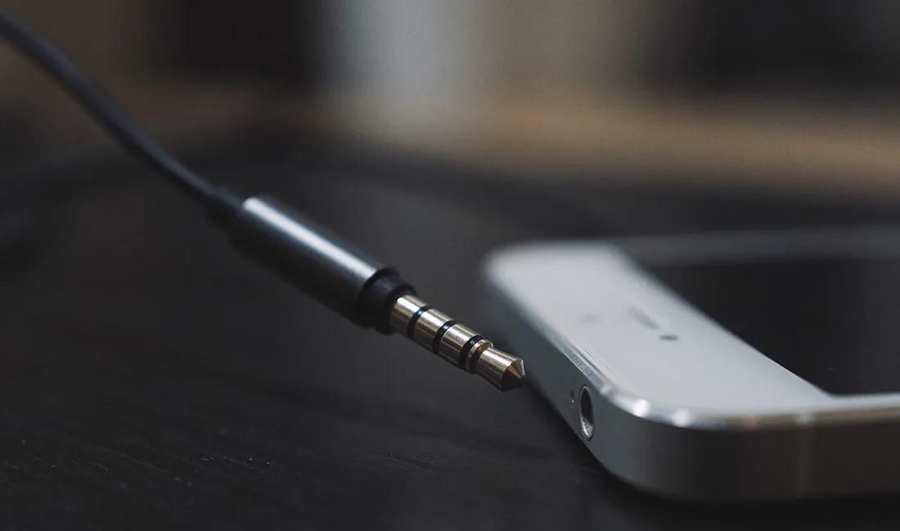
Two things trip people up here. First, a TRS plug can be wired as stereo unbalanced (headphones) or as balanced mono (a line signal), and they look identical. Second, a TRRS plug is not automatically a “headset plug”: on higher-end portable audio gear, all four contacts are used for a balanced headphone output. Plugging that into a TRRS microphone input can short one channel of the amplifier, which is why “it fits” never means “it is compatible.”
2. CTIA vs OMTP: the second failure hiding behind the same plug
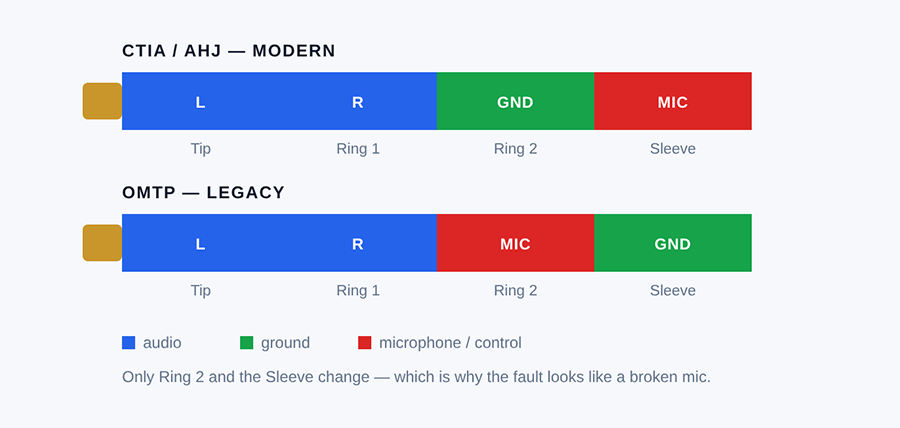
| Póngase en contacto con | CTIA / AHJ (modern) | OMTP (legacy) |
|---|---|---|
| Tip | Left audio | Left audio |
| Ring 1 | Right audio | Right audio |
| Ring 2 | Ground | Microphone |
| Sleeve | Microphone | Ground |
3. Which cable for which setup
Answering the TRRS vs TRS question for your own kit comes down to two rules: match the pole count to the jack, and the wiring standard to the device generation. Below are the combinations that cover most field and studio cases.
| Setup | Device jack | Mic / source plug | Cable you need |
|---|---|---|---|
| Lav mic → mirrorless camera | TRS | TRS | 3.5 mm TRS-to-TRS, shielded |
| Wireless receiver → camera | TRS | TRS | TRS-to-TRS, short (30–60 cm) |
| Lav mic or receiver → phone | TRRS | TRS | TRS-to-TRRS adapter cable wired for CTIA |
| Gaming headset → PC with split jacks | 2 × TRS | TRRS | TRRS-to-dual-TRS Y cable (headphone + mic) |
| Headset → laptop combo jack | TRRS | TRRS | TRRS-to-TRRS, CTIA order |
| XLR mic → camera | TRS | XLR | Not a passive cable: use a preamp or an adapter with impedance matching |
| Mixer / interface → powered monitor | TRS or XLR | TRS or XLR | Balanced TRS or XLR; keep both ends balanced |
4. Four “fixes” that don’t work
- A $2 four-pole-to-three-pole adapter with unknown wiring. Many pass audio and leave the mic contact floating.
- Plugging a TRS mic into a phone and expecting the phone mic to help. The phone simply falls back to its internal microphone; your lavalier stays silent.
- Running phantom power through a 3.5 mm adapter. 48 V belongs on a balanced XLR line. Adapters into TS or 3.5 mm inputs can pop, distort, and on ribbon mics cause real damage.
- Judging by colour. Ring colour, gold plating and cable jacket say nothing about pole count or wiring standard. Count the rings and check the spec sheet.