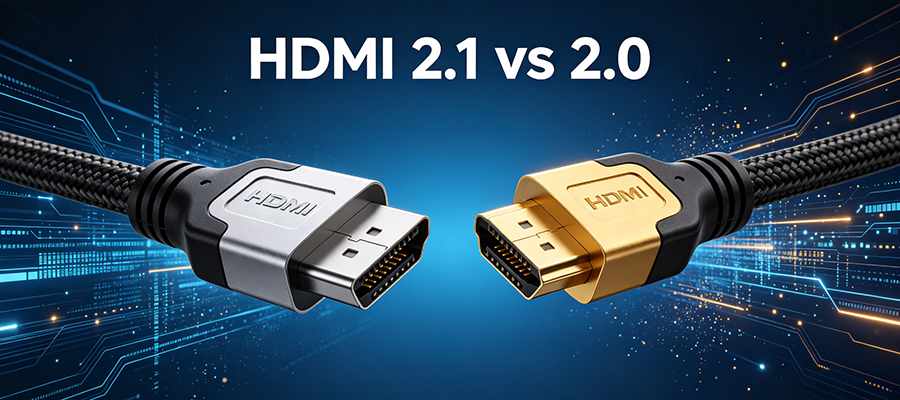
If you’ve shopped for a new TV, gaming console, or soundbar recently, you’ve probably seen “HDMI 2.1” everywhere. But what does it actually mean? And more importantly—do you need to upgrade your cables?
You’re not alone in asking. With terms like 48Gbps, 8K@60Hz, VRR, and eARC floating around, it’s easy to feel overwhelmed. In this guide, we’ll break down exactly what separates HDMI 2.1 from HDMI 2.0, which features actually matter for your setup, and whether the upgrade is worth your money.
Quick Summary: Should You Upgrade?
Short answer: It depends on what you use your setup for.
- 🎮 Gamers with PS5/Xbox Series X/PC → Yes, HDMI 2.1 is worth it for 4K@120Hz and VRR
- 🎬 Home theater enthusiasts → Yes, if you want eARC for lossless Dolby Atmos
- 📺 Regular TV watching/streaming → Probably not—HDMI 2.0 works fine for 4K@60Hz HDR
- 🔮 Будущее → Maybe, but HDMI 2.2 is already on the horizon
HDMI 2.0 vs HDMI 2.1: The Complete Comparison Table
Let’s start with the numbers. Here’s everything you need to know at a glance:
| Характеристика | HDMI 2.0 | HDMI 2.1 |
|---|---|---|
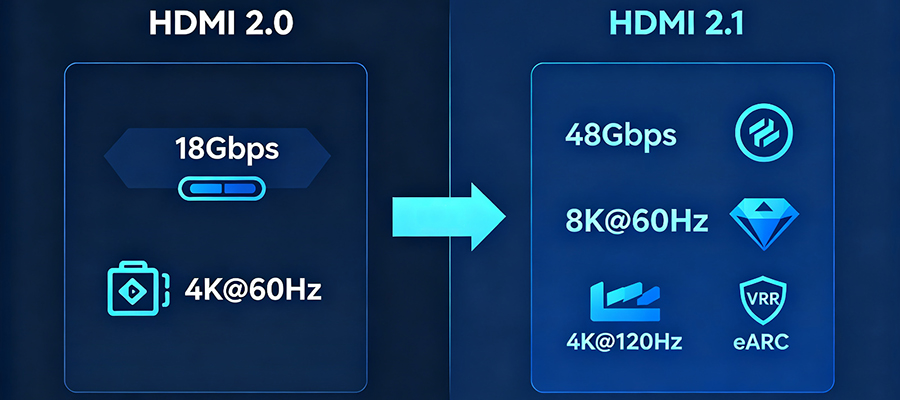
| Maximum Bandwidth | 18 Гбит/с | 48 Гбит/с |
| Максимальное разрешение и частота обновления | 4K@60 Гц | 8K@60Hz / 4K@120Hz / 10K@30Hz |
| Поддержка HDR | Static HDR (HDR10, HLG) | Static + Dynamic HDR (HDR10+, Dolby Vision) |
| Color Depth | Up to 12-bit | Up to 16-bit |
| Обратный аудиоканал | ARC (compressed audio only) | eARC (lossless Dolby Atmos, DTS:X) |
| Переменная частота обновления (VRR) | ❌ No | ✅ Yes (reduces screen tearing) |
| Автоматический режим низкой задержки (ALLM) | ❌ No | ✅ Yes (auto-switches to game mode) |
| Быстрая транспортировка рамы (QFT) | ❌ No | ✅ Yes (lower latency for gaming) |
| Быстрое переключение носителей (QMS) | ❌ No | ✅ Yes (eliminates screen blanking) |
| Enhanced Audio Return Channel | ❌ No | ✅ Yes (37 Mbps audio bandwidth) |
| Cable Certification | Premium High Speed HDMI | Ультравысокоскоростной HDMI |
| Typical Cable Price (6ft) | $5-$15 | $10–$30 |
The Key Differences Explained
1. Bandwidth: The Big One
The most significant difference between HDMI 2.0 and 2.1 comes down to bandwidth—think of it as the size of the data pipe.
- HDMI 2.0: 18 Gbps (gigabits per second)
- HDMI 2.1: 48 Гбит/с
That’s a 2.7x increase in bandwidth. Why does this matter? More bandwidth means:
- Higher resolutions (8K instead of just 4K)
- Faster refresh rates (120Hz instead of 60Hz)
- More color data
- Better audio formats
Real-world impact: If you’re only watching Netflix or YouTube at 4K@60Hz, you won’t notice a difference. But if you want 4K@120Hz gaming or 8K content, HDMI 2.1 is non-negotiable.
2. Resolution & Refresh Rate
This is where most people notice the upgrade.
HDMI 2.0 maxes out at:
- 4K (3840×2160) at 60Hz
- 1080p at 240Hz
HDMI 2.1 supports:
- 4K at 120Hz (and even 240Hz with DSC compression)
- 8K (7680×4320) at 60Hz
- 10K at 30Hz
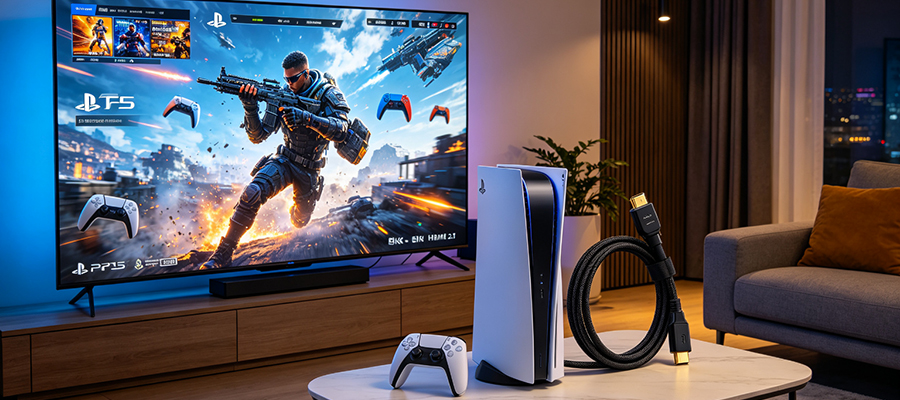
Who cares? Gamers, mostly. 4K@120Hz delivers noticeably smoother gameplay compared to 60Hz, especially in fast-paced titles like first-person shooters or racing games.
3. VRR (Variable Refresh Rate)
VRR is one of the most underrated features of HDMI 2.1. Here’s what it does:
- Problem without VRR: Your GPU/console outputs frames at varying rates, but your display refreshes at a fixed rate. This mismatch causes screen tearing—that annoying horizontal line where the image splits.
- Solution with VRR: The display’s refresh rate dynamically matches the content’s frame rate. No tearing, smoother motion, better gaming experience.
Supported on: PS5, Xbox Series X/S, NVIDIA RTX 3000+ GPUs, AMD RX 6000+ GPUs, and most modern gaming TVs/monitors.
4. ALLM (Auto Low Latency Mode)
Ever had to manually switch your TV to “Game Mode” every time you play? ALLM fixes that.
When your console or PC starts sending a game signal, ALLM automatically triggers your TV’s low-latency mode. When you switch back to streaming a movie, it reverts to your standard picture settings.
It’s a small quality-of-life feature, but a nice one.
5. eARC (Enhanced Audio Return Channel)
If you have a soundbar or AV receiver, eARC is a game-changer.
- ~1 Mbps audio bandwidth
- Only supports compressed formats (Dolby Digital, DTS)
- Dolby Atmos works only in compressed form
- Common lip-sync issues
- ~37 Mbps audio bandwidth (37x more!)
- Supports lossless formats: Dolby TrueHD, DTS-HD Master Audio
- Full, uncompressed Dolby Atmos and DTS:X
- Automatic lip-sync correction
Bottom line: If you care about high-quality audio and have a compatible soundbar/receiver, eARC alone might justify the HDMI 2.1 upgrade.
Do You Actually Need HDMI 2.1?
Let’s break it down by use case.
🎮 For Gamers
PS5 / Xbox Series X / Series S owners:
- ✅ Yes, you need HDMI 2.1 to unlock 4K@120Hz, VRR, and ALLM
- The cable that came with your console is HDMI 2.1, so you might already be set
- If you need a longer cable, make sure it’s certified Ultra High Speed
PC gamers:
- Depends on your GPU and monitor
- If you have an RTX 3000+/RX 6000+ GPU and a 4K@120Hz+ monitor → Yes
- If you’re gaming at 1080p or 1440p → HDMI 2.0 is probably fine
- Note: DisplayPort is still generally better for PC gaming than HDMI
Nintendo Switch / older consoles:
- ❌ No need. These don’t output HDMI 2.1 signals anyway.
🎬 For Home Theater Enthusiasts
If you have a Dolby Atmos soundbar or AV receiver:
- ✅ eARC alone makes HDMI 2.1 worth it
- You’ll get lossless audio quality and automatic lip-sync
- Just make sure both your TV AND soundbar support eARC
If you’re just using TV speakers:
- ❌ No difference. Save your money.
8K TV owners:
- ✅ You’ll need HDMI 2.1 for 8K@60Hz
- But honestly, there’s barely any 8K content available in 2026
- 4K@120Hz is a more practical reason to upgrade
📺 For Regular TV Watching
Streaming Netflix, Disney+, Hulu, etc.:
- ❌ HDMI 2.0 is perfectly fine
- Most streaming services top out at 4K@60Hz with HDR
- You won’t see any difference with HDMI 2.1
Cable/satellite TV:
- ❌ Definitely no need. Most cable is still 1080i!
Common Myths Debunked
Myth 1: “Expensive HDMI cables are better than cheap ones”
Truth: For most setups, a $10 certified cable performs identically to a $100 one.
HDMI is a digital signal—either it works or it doesn’t. There’s no “slightly better picture” from a more expensive cable. The key is buying a сертифицированный cable from a reputable brand, not the most expensive one.
Myth 2: “All HDMI 2.1 cables are the same”
Truth: Not even close. Look for the “Ultra High Speed HDMI” certification logo.
Uncertified “HDMI 2.1” cables might claim 48Gbps but fail to deliver reliably, especially at longer lengths.
Myth 3: “I need HDMI 2.1 for HDR”
HDMI 2.1 adds support for dynamic HDR formats like HDR10+ and Dolby Vision at higher resolutions/refresh rates, but basic HDR works fine on HDMI 2.0.
FAQ: Your Questions Answered
Q: Can I use an HDMI 2.1 cable with HDMI 2.0 devices?
A: Yes! HDMI is backward compatible. An HDMI 2.1 cable works perfectly with HDMI 2.0 devices—you just won’t get the 2.1 features.
Q: How long can an HDMI 2.1 cable be?
A: For passive copper cables, 3 meters (10 feet) is typically the reliable maximum for full 48Gbps. For longer runs, you’ll need an active optical HDMI (AOC) cable.
Q: What’s the difference between “HDMI 2.1” and “Ultra High Speed HDMI”?
A: “HDMI 2.1” refers to the specification version. “Ultra High Speed HDMI” is the cable certification that guarantees 48Gbps performance. Always look for the certified logo.
Q: Is HDMI 2.1 the same as HDMI 2.2?
A: No. HDMI 2.2 is the newest specification (announced in late 2025) with up to 96Gbps bandwidth (Ultra96 cables). HDMI 2.1 is the current mainstream standard.
Q: Do I need to upgrade all my HDMI cables?
A: Probably not. Only upgrade the cables connected to devices that actually use HDMI 2.1 features (like your console or soundbar). Your cable box or Blu-ray player is fine with HDMI 2.0.