HDMI Ethernet Cables: Boost PS5/Xbox Online Stability

Table des matières

Why Your HDMI Cable Matters More Than You Think

You’ve invested in a PS5 or Xbox Series X/S for buttery-smooth 4K gaming and seamless online battles. But if you’re still using that old HDMI cable from 2015, you might be missing out on crisp visuals, lag-free controls, and stable connections. Let’s break down how the right high-speed HDMI cable transforms your gaming experience—and which models solve common headaches like screen tearing, input lag, and choppy online play.


How HDMI Cables Impact 4K 60Hz Gaming & Online Stability

1. Bandwidth: The Backbone of 4K 60Hz Clarity

Not all HDMI cables are created equal. Largeur de bande (data transfer speed) determines if your console can push 4K@60Hz without dropping frames or sacrificing color depth.
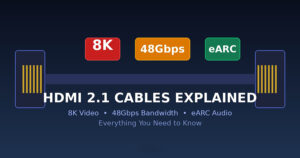
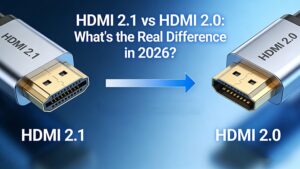
  • HDMI 2.0: Supports 18Gbps bandwidth—enough for 4K@60Hz, HDR, and basic gaming features (e.g., ARC, 3D).
  • HDMI 2.1: Jumps to 48Gbps—unlocks 4K@120Hz, 8K@60Hz, and advanced tech like VRR (Variable Refresh Rate) and ALLM (Auto Low Latency Mode).

Insufficient bandwidth? Expect blurry textures, delayed frame rendering, or even downgraded resolution (e.g., 1080p instead of 4K).


2. HEC: Ethernet for Lag-Free Online Play

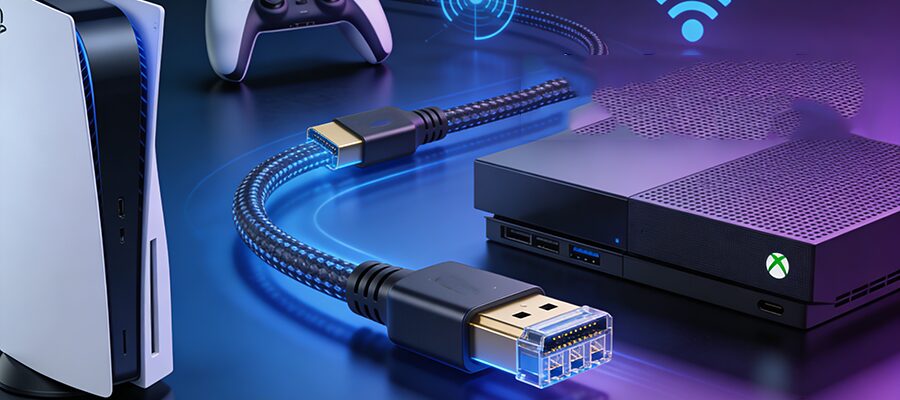
HEC (HDMI Ethernet Channel) is a game-changer for online gamers. Unlike standard HDMI cables, “HDMI with Ethernet” includes a dedicated data channel that lets your console connect to the internet via the cable itself—no Wi-Fi needed.
Why does this matter? Wi-Fi interference (from routers, microwaves, or neighbors) often causes lag spikes in multiplayer games. HEC bypasses this by using a wired, shielded connection, ensuring stable ping and smooth matchmaking.

3. Shielding: Fight Noise, Keep Signals Clean

Cheap cables = weak shielding. Double shielding (foil + braided nylon) blocks electromagnetic interference (EMI) from nearby electronics, preventing:


  • Flickering screens
  • Audio/video desync
  • Corrupted data packets (critical for online co-ops or competitive play).


Solve These Gaming Headaches with the Right Cable

Pain Point Cause Solution
Screen Tearing Mismatched GPU/display refresh rates HDMI 2.1 with VRR (syncs rates dynamically)
Input Lag Low bandwidth or unshielded signals High-bandwidth (≥18Gbps) + gold-plated connectors (reduces signal loss)
Online Disconnects Wi-Fi interference HEC-enabled cables (wired Ethernet via HDMI)


Final Verdict: Upgrade to Play Like a Pro
Your PS5/Xbox deserves a cable that keeps up. For 4K@60Hz + stable online play, prioritize:
✅ HDMI 2.1 (48Gbps) for future-proofing (4K@120Hz, VRR).
✅ HEC support to ditch Wi-Fi lag.
✅ Double shielding (foil + braid) for noise-free signals.


Pro tip: Avoid cables older than 2020—many lack HEC or updated shielding. Grab one of our top picks, and turn “almost perfect” gaming into flawless battles.


POSTES CONNEXES

DEMANDER UN DEVIS GRATUIT

contactez-nous pour obtenir le dernier catalogue de produits