Tired of missing that clutch headshot because your display lagged? Or staring at stuttering frames during fast-paced FPS battles? The culprit might not be your GPU or monitor—it could be your HDMI cable. Gaming-grade Câbles HDMI are non-negotiable for unlocking high refresh rates and low latency, so let’s break down how to pick the perfect one for your setup.
Why Gaming-Grade HDMI Cables Matter?
Ordinary HDMI cables are built for basic media streaming, not the demands of modern gaming. Here’s why you need an upgrade:
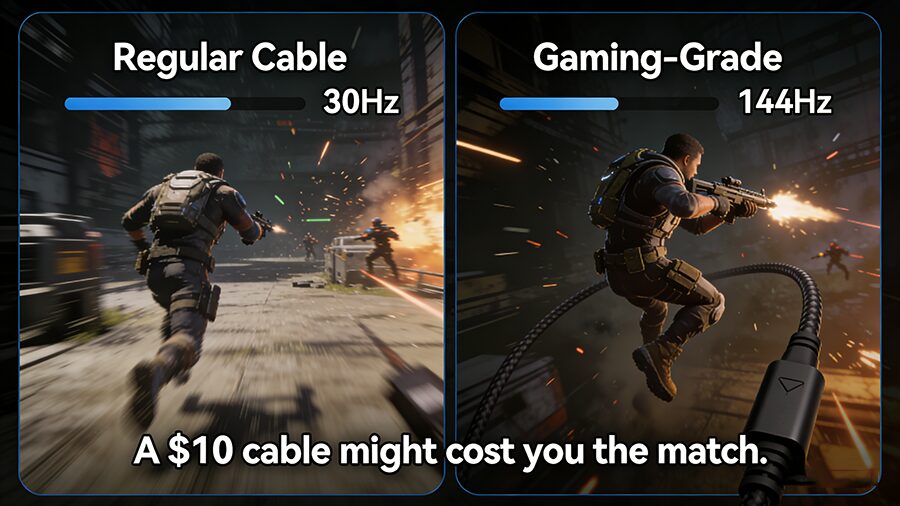
- Bandwidth Limits: Cheap cables can’t handle the high data throughput required for 1440p/144Hz or 4K/120Hz signals, resulting in downscaled frames or stutter.
- Latency Issues: Uncertified cables add hidden input lag, slowing down the time between your controller input and what appears on screen—critical milliseconds that mean the difference between win and loss.
Key Specs to Prioritize
1. HDMI Version & Bandwidth
Bandwidth is the backbone of gaming performance. Skip vague labels and focus on certified rates:
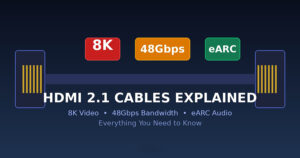
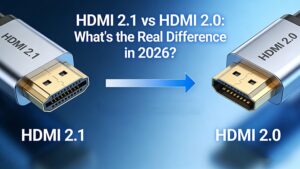
- HDMI 2.1 (48Gbps): The gold standard. Supports 4K/120Hz, 8K/60Hz, VRR (Variable Refresh Rate), and ALLM (Auto Low Latency Mode). Must have Ultra High Speed HDMI Certification to guarantee full bandwidth.
- HDMI 2.0 (18Gbps): Budget-friendly option for 4K/60Hz or 1440p/144Hz setups. Look for HDMI Premium Certification.
2. Refresh Rate & Resolution Compatibility
Not all cables work for every setup. Use this quick reference table to match your needs:
| Résolution | Taux de rafraîchissement | Minimum HDMI Version/Bandwidth |
|---|---|---|
| 1080p | 240Hz | HDMI 2.0 (18Gbps) / HDMI 2.1 |
| 1440p | 144Hz | HDMI 2.0 (18Gbps) |
| 1440p | 240Hz | HDMI 2.1 (48Gbps) |
| 4K | 60Hz | HDMI 2.0 (18Gbps) |
| 4K | 120Hz | HDMI 2.1 (48Gbps) |
| 8K | 60Hz | HDMI 2.1 (48Gbps) |
3. Low Latency Features
- ALLM: Automatically switches your display to low-latency game mode when you launch a title—no manual settings needed.
- VRR: Eliminates screen tearing by syncing your monitor’s refresh rate to your GPU’s output, critical for fast-paced racing or fighting games.
- eARC (Enhanced Audio Return Channel): Bonus for gamers who use soundbars—delivers uncompressed audio without extra latency.
4. Cable Length
- For setups under 3 feet: Passive cables work perfectly.
- For 3–10 feet: Choose a certified braided cable to reduce signal interference.
- Over 10 feet: Opt for an active HDMI 2.1 cable (with signal amplifiers) to avoid lag or signal dropouts.
Step-by-Step to Pick Your Cable
- Audit Your Setup: Check your monitor’s max refresh rate and GPU’s output capabilities first (e.g., if you have a 4K/144Hz monitor, HDMI 2.1 is non-negotiable).
- Prioritize Certification: Skip uncertified “HDMI 2.1” cables—look for official Ultra High Speed (2.1) or Premium (2.0) labels.
- Match Length to Your Space: Don’t buy a 20-foot cable for a desktop setup longer cables risk signal loss.
- Budget Wisely: You don’t need the most expensive cable, but avoid $5 uncertified options—they’ll underperform.
Dernier point à retenir
A gaming-grade Câble HDMI is a small investment that delivers massive returns—smoother frames, faster response times, and no more lag-induced losses. Don’t let a flimsy cable hold back your setup’s true potential. Pick your cable using these specs, and get back to dominating your favorite games.
Got a go-to gaming HDMI cable? Drop it in the comments below! 🎮