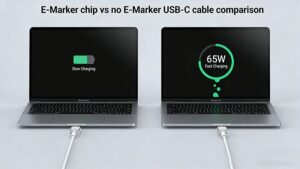
Ever grabbed a random USB-C cable from your drawer to charge your work laptop, only to get a “Slow Charging” pop-up? Or tried to hook your phone up to a 4K monitor for a presentation, just to get a blank screen? You’re not alone. 70% of generic USB-C cables don’t support the full capabilities of your devices – and the missing piece is almost always a tiny, unmarked component called an E-Marker chip. This quick guide breaks down exactly what it does, when you need it, and how to stop wasting money on cables that don’t work.
What Is an E-Marker Chip, Exactly?
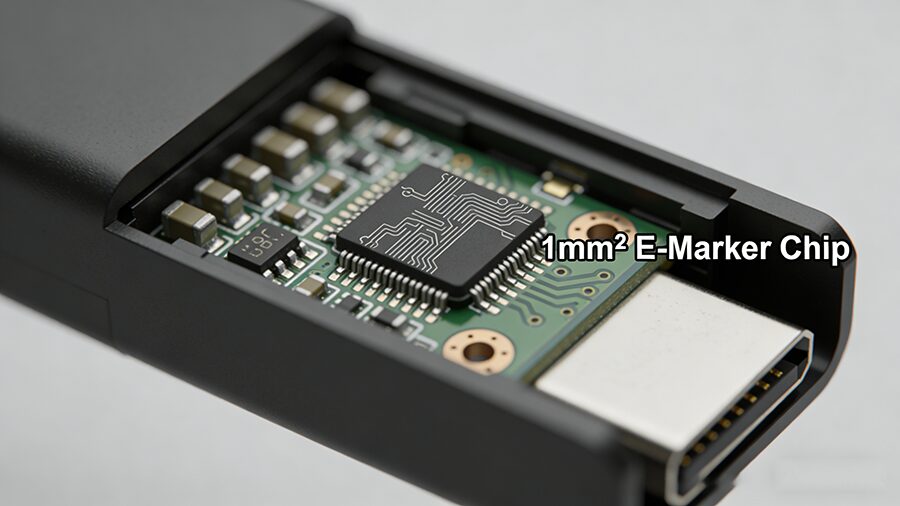
An E-Marker (Electronic Marker) chip is a 1mm² microchip embedded in USB-C cables, adapters, and accessories that communicates the product’s performance capabilities to connected devices, per USB-IF (USB Implementers Forum) global standards.
Think of it as a digital ID tag for your USB-C cable. When you plug two devices together, the E-Marker tells your charger, laptop, or phone exactly how much power the cable can carry, how fast it can transfer data, and whether it supports video output – no guesswork required.
How Does an E-Marker Chip Work?
The E-Marker runs on low power drawn directly from the USB-C connection, activating the second you plug in your cable. It shares 3 key details with connected hardware:
Maximum supported amperage (3A, 5A, etc.)
Supported data transfer protocols (USB 2.0, USB 3.2, Thunderbolt 4, etc.)
Support for Alternate Modes (video output, DisplayPort, HDMI Alt Mode)
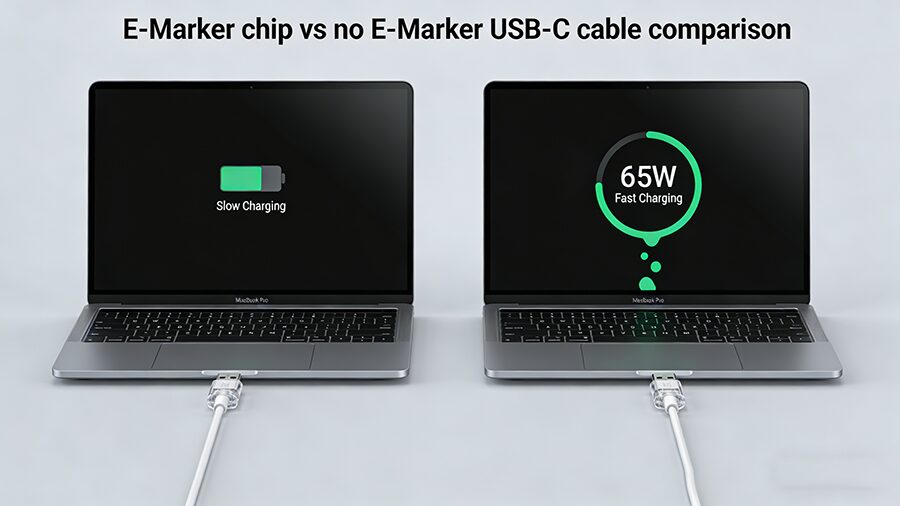
If the cable has no E-Marker, devices default to the lowest common performance standard: max 60W charging, 480Mbps USB 2.0 data speeds, and no video output support. That’s why your fancy 100W charger might only charge your laptop at 27W if paired with a cheap generic cable.
Quick Comparison: E-Marker vs Non-E-Marker Cables
Fonctionnalité
Non-E-Marker USB-C Cable
E-Marker Equipped USB-C Cable
Puissance maximale fournie
Up to 60W (20V/3A)
Up to 240W (48V/5A)
Vitesse maximale des données
Up to 480Mbps (USB 2.0)
Up to 80Gbps (USB4 2.0 / Thunderbolt 5)
Video Output Support
❌ No Alt Mode support
✅ Supports 4K/8K DisplayPort/HDMI Alt Mode
Safety Compliance
Often uncertified, risk of overheating at high power
Required for USB-IF certification, meets global safety standards
Typical Price
$1-$3
$3-$15
When Do You Actually Need an E-Marker Cable?
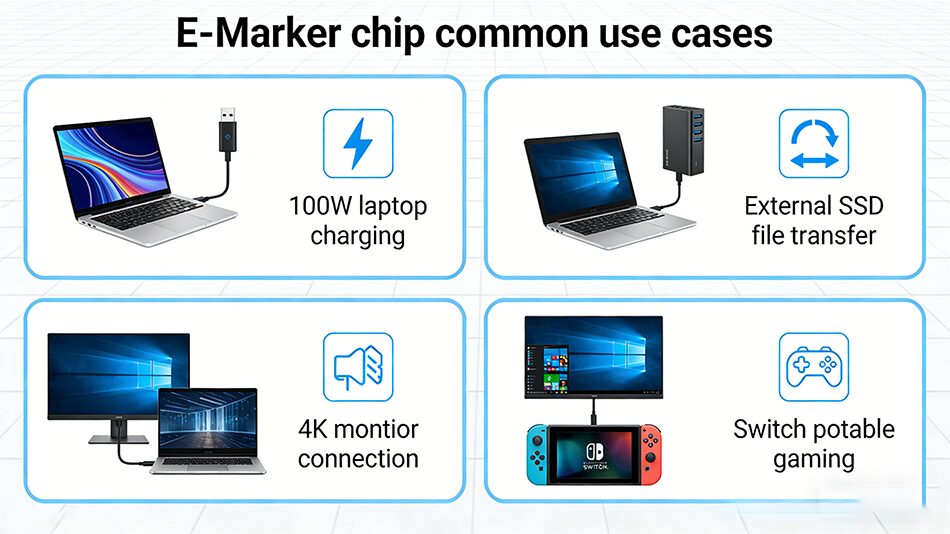
You don’t need an E-Marker cable for every use case – but you’ll run into major performance issues if you skip it for these 4 scenarios:
Charging devices over 60W Laptops, portable power banks, and gaming handhelds (Steam Deck, Switch OLED) that require 65W+ charging must use an E-Marker cable to access full speeds. Non-E-Marker cables will cap charging at 60W or lower, or fail to charge entirely.
Transfert de données à grande vitesse Transferring large files to an external SSD, backing up your phone, or using a USB-C capture card? You’ll need an E-Marker cable to access USB 3.2/Thunderbolt speeds. A non-E-Marker cable will take 3 minutes to transfer a 10GB movie, vs 2 seconds on a 20Gbps E-Marker cable.
Video output via USB-C Any time you connect a device to a monitor, TV, or portable display via USB-C Alt Mode, you need an E-Marker to carry the video signal. Non-E-Marker cables can’t support video output, which is the #1 cause of “no signal” errors for USB-C displays.
High-performance accessories VR headsets, Thunderbolt docks, external GPUs, and 10Gbps network adapters all require E-Marker cables to run at full performance.
Common E-Marker Myths Debunked
❌ Myth 1: All USB-C cables need an E-Marker Truth: For low-power use cases (charging wireless earbuds, Bluetooth mice, or 15W old phones), a cheap non-E-Marker cable works perfectly fine. No need to overspend! ❌ Myth 2: E-Marker cables are always expensive Truth: You can get a USB-IF certified 100W E-Marker cable for as little as $3-$5 from reputable brands. Only high-speed Thunderbolt 4/USB4 E-Marker cables carry a premium price tag. ❌ Myth 3: A cable with an E-Marker is always high-quality Truth: The E-Marker is just an ID tag – it doesn’t improve build quality. Always look for USB-IF certification to confirm the cable meets safety and performance standards, not just an E-Marker label.
FAQ
Q: Can I use a non-E-Marker cable for my 65W laptop?
A: We don’t recommend it. Your laptop will either charge at a capped 60W speed, or not charge at all. Uncertified non-E-Marker cables may overheat if forced to carry more than 3A of current.
Q: How do I check if my cable has an E-Marker?
A: Look for these labels on packaging or product pages: 100W/240W PD, USB 3.2/Thunderbolt/USB4, or “video output support”. All cables with these features are required to have an E-Marker. You can also use a USB-C power meter to test for E-Marker support.
Q: Do Apple’s USB-C cables have E-Marker chips?
A: Yes. All Apple USB-C charge cables that support 61W+ charging, as well as all Apple Thunderbolt 3/4 cables, include genuine E-Marker chips.
Q: Can an E-Marker chip go bad?
A: In rare cases, physical damage (bending, fraying) can break the E-Marker. If your cable used to support fast charging but no longer does, the E-Marker is likely the culprit.