Optical HDMI vs Copper HDMI: The Better Choice?

fiber vs copper hdmi 2.1

Índice

Ever splurged on a fancy HDMI cable only to find it can’t carry 4K@120Hz to your ceiling-mounted projector, or it’s so stiff it clogs up your gaming desk? You’re not alone. The debate between optical (fiber) HDMI y traditional copper HDMI doesn’t have a one-size-fits-all winner—it all comes down to where and how you’re using it. We cut through marketing hype to give you a no-fluff guide to picking the right cable in 2 minutes.


Quick Side-by-Side Comparison
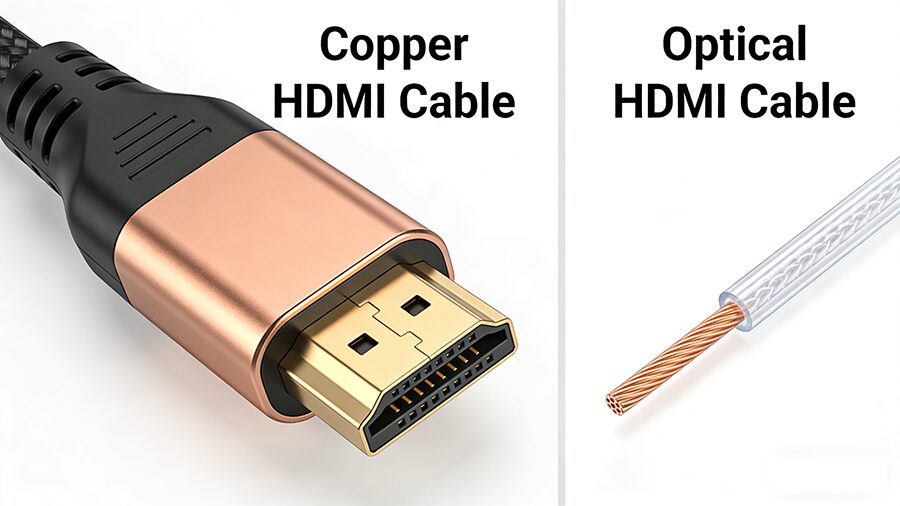
Factor Copper HDMI Cable Optical (Fiber) HDMI Cable
Max 48Gbps (HDMI 2.1) Distance 1–3m (no signal loss) 5–50m+ (no signal loss)
Build & Flexibility Thick, stiff, heavy for long runs Thin, lightweight, easy to route through walls/ceilings
Interference Resistance Prone to EMI/RFI (fuzzy signal if run near power cords/Wi-Fi routers) Zero signal interference
Durabilidad Withstands frequent bending, plugging, and travel Fragile if sharply bent; best for permanent, low-movement installs
Average Price $5–$20 for 1–3m $15–$60 for 5m+
Short-Range Latency <1ms (no perceptible lag for gaming) <1ms (no perceptible lag for gaming)


Which Cable Should You Pick? Exact Use Cases

When to Choose Copper HDMI (Best Value, No Compromises)
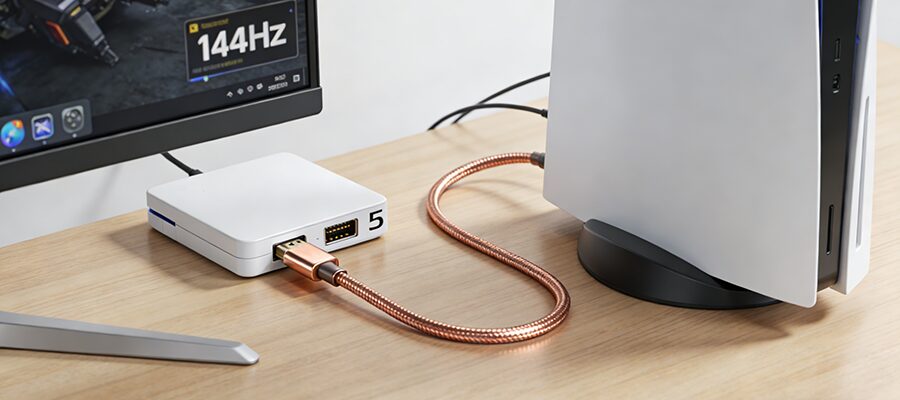
Copper HDMI is the right pick for 90% of everyday setups, no performance tradeoffs included:
  1. Desktop Gaming & Short-Range Monitor Setups
    If your PC/console is within 3m of your display, copper HDMI is all you need. It runs 4K@144Hz and 8K@60Hz perfectly at this length, costs 50–70% less than optical HDMI, and stands up to frequent plugging/unplugging for accessory swaps.
  2. Temporary Connections & Travel
    Need a cable to bring to a friend’s house for gaming, or to connect a laptop to a portable projector? Copper HDMI’s durable, bend-resistant build makes it far better for on-the-go use than fragile fiber options.
  3. Budget Home Setups Under 3m
    For standard living room setups where your streaming box/console sits right under your TV, copper HDMI delivers identical performance to optical options for a fraction of the cost. No need to overpay for features you’ll never use.


When to Choose Optical HDMI (Only for Long/Complex Runs)
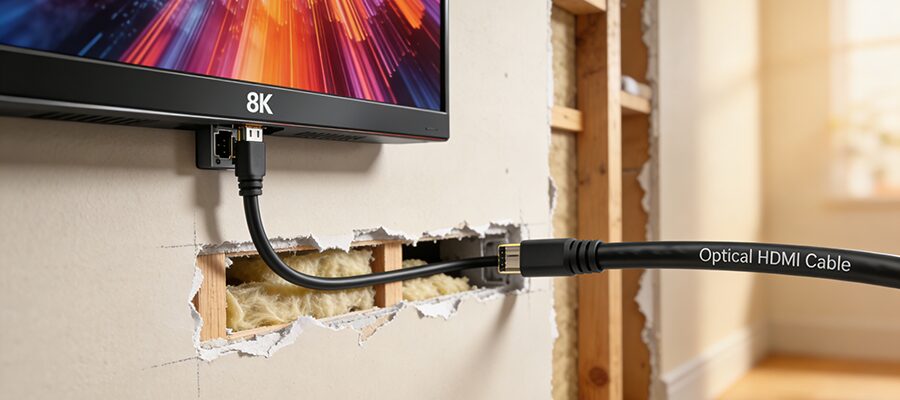
Optical HDMI is a niche, high-performance solution for specific use cases where copper can’t keep up:
  1. Wall-Mounted TVs & Ceiling Projectors
    If you’re running cable through walls, ceilings, or conduit for a home theater, optical HDMI is non-negotiable for runs over 3m. It’s thin enough to snake through tight spaces, immune to interference from nearby electrical wiring, and can carry full 48Gbps HDMI 2.1 signal up to 50m without dropouts.
  2. Commercial & Office Display Setups
    For conference room projectors, retail digital signage, or event displays that require 10m+ cable runs, optical HDMI eliminates the fuzzy, glitchy signal that plagues long copper cables, even when run alongside power lines or networking equipment.
  3. High-End Immersive Gaming/Viewing Over 3m
    If your console/AV receiver is more than 3m away from your 8K TV or 240Hz gaming monitor, only optical HDMI can maintain full bandwidth for uncompressed 8K@60Hz or 4K@240Hz video and lossless audio (e.g., Dolby Atmos, DTS:X).


Common Myth You Need to Ignore

❌ Myth: Optical HDMI is faster for competitive gaming
Reality: For runs under 3m, both cable types have identical <1ms latency. The tiny speed gain from light-based transmission is canceled out by the optical cable’s built-in signal converter, so you’ll never notice a difference in gameplay. Save your money for a better controller instead.

Preguntas frecuentes


Q: Can I use optical HDMI for my PS5/Xbox Series X?
A: Only if your console is more than 3m away from your TV. For setups under 3m, a $10 copper HDMI 2.1 cable works exactly the same for 4K@120Hz gaming.


Q: Do optical HDMI cables need external power?
A: Most optical HDMI cables under 10m are bus-powered (they draw power from your TV/console via the HDMI port). Cables longer than 10m usually include a small USB power adapter to maintain stable signal.


Q: Are copper HDMI cables being phased out?
A: Not at all. For 90% of home users with short-distance setups, copper HDMI is the more practical, cost-effective choice. Optical HDMI is a niche solution for long, complex runs, not a full replacement.

Conclusión

The choice between optical and copper HDMI has nothing to do with which is “better” overall—it’s about matching the cable to your setup:
Pick copper for all runs under 3m, travel, and budget setups
Pick optical for runs over 3m, in-wall/ceiling installs, and commercial displays
ENTRADAS RELACIONADAS

SOLICITE UN PRESUPUESTO GRATUITO

póngase en contacto con nosotros para obtener el último catálogo de productos