Introduction
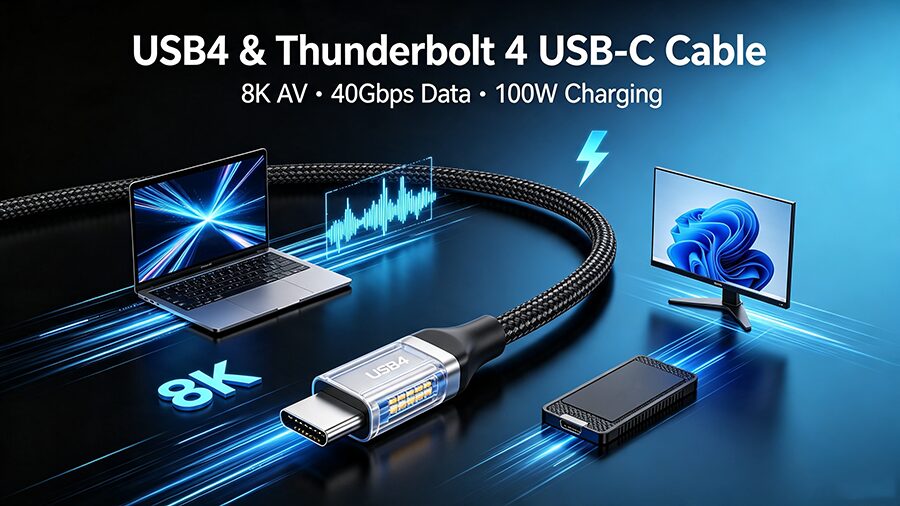
If you are a professional designer, video editor, multi-monitor office worker, or tech enthusiast searching for a USB4 and Thunderbolt 4 compatible USB-C AV cablethat delivers stable video output, ultra-fast data transfer, and simultaneous charging, this in-depth guide is exactly what you need.
Most standard USB-C cables on the market only support basic charging and low-speed data transmission. They fail to run dual monitors, 8K video, or professional SSD file transfer. In the US, UK, France, and German markets, Thunderbolt 4 USB-C cables and USB4 full-function AV cables are trending rapidly because modern MacBook, Windows laptops, and creative devices require unified high-performance connectivity. A single upgraded USB4 cable replaces messy charging cords, display cables, and data transfer wires for a clean and professional workstation setup.
What Is The Difference Between USB4, Thunderbolt 4, and Ordinary USB-C Cables?
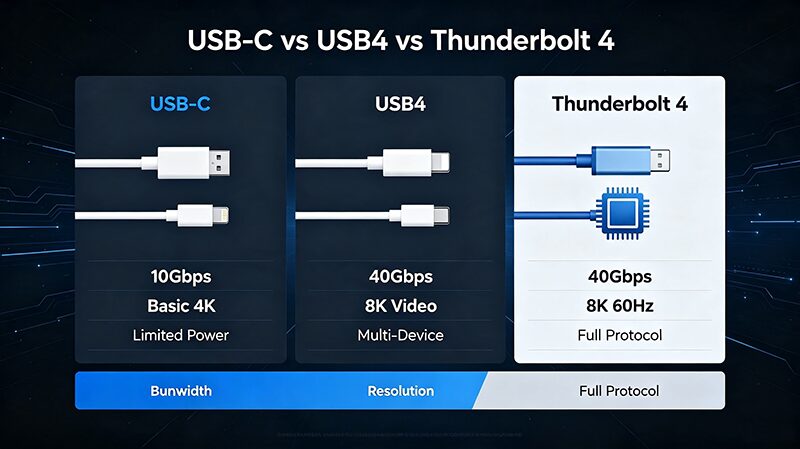
Many EU and US consumers cannot tell the difference between generic USB-C cables, USB4 cables, and Thunderbolt 4 certified cables. Ordinary consumer-grade USB-C cables only support basic 10Gbps speed and 4K low-refresh display, which cannot meet professional creator and business office standards.
USB4 & Thunderbolt 4 compatible USB-C cables adopt upgraded transmission protocols and shielding structures, realizing three-in-one functions of charging, high-speed data transfer, and audio-video output. This is the core reason why professional users in Europe and North America actively search for Thunderbolt 4 AV cable and USB4 display cable.
Core Specifications & Performance Comparison Table
Below is the detailed parameter table of our USB4 Thunderbolt 4 compatible USB-C AV cable, covering all mainstream professional usage scenarios and high-search user demands:
|
Function Module
|
Professional Specification
|
User Application Scenarios
|
High Search Volume Keywords
|
|---|---|---|---|
|
Video Output
|
8K@60Hz, 4K@144Hz high refresh rate, DP Alt Mode support, dual monitor extension
|
Video editing, home theater, live streaming, multi-screen office
|
8K 60Hz USB-C display cable, 4K 144Hz USB-C AV cable, dual monitor USB-C cable
|
|
Data Transfer Speed
|
40Gbps ultra-high bandwidth, full USB4 & Thunderbolt 4 protocol compatibility
|
Large video file transmission, external NVMe SSD storage, photography raw file backup
|
40Gbps USB-C data cable, Thunderbolt 4 high speed transfer cord, USB4 SSD cable
|
|
Power Delivery
|
Max 100W fast charging, supports laptop pass-through charging
|
Desktop long-term work, outdoor office, mobile workstation power supply
|
100W USB-C charging cable, laptop pass-through charging cord
|
|
Protocol Compatibility
|
Full compatible with Thunderbolt 4, USB4, USB3.2, USB3.1 backward compatible
|
All new and old USB-C device universal connection
|
Thunderbolt 4 compatible cable, USB4 backward compatible USB-C cord
|
|
Anti-Interference Design
|
Multi-layer shielding structure, no signal lag, no screen flickering
|
Professional post-production, conference room long-distance projection
|
anti-interference USB-C AV cable, no lag USB-C display cord
|
Why Professional Creators Prefer USB4 & Thunderbolt 4 USB-C AV Cables
In the US, UK, Germany, and France, visual creators, video editors, and graphic designers form the core consumer group of USB4 Thunderbolt 4 AV cables. Traditional separate HDMI cables and data cables cause messy desktops, unstable signals, and low transmission efficiency.
A single all-in-one Thunderbolt 4 USB-C cable solves multiple pain points:
-
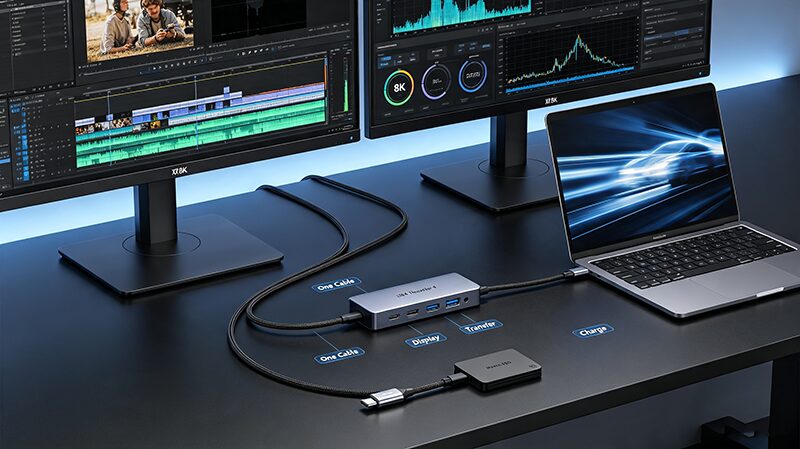
Realizes one-cable connection for laptop + 8K monitor + external SSD, greatly simplifying workstation layout
-
40Gbps super speed shortens large 4K/8K video file migration time, improving post-production efficiency
-
Stable DP Alt Mode video output avoids screen flicker and frame drop during live streaming and video preview
-
Supports pass-through charging, keeping the laptop powered while working with external devices
Wide Device Compatibility
This USB4 Thunderbolt 4 compatible USB-C AV cable supports almost all mainstream USB-C devices in European and American markets:
-
Apple Devices: MacBook Air, MacBook Pro, iPad Pro, iMac external display connection
-
Windows Laptops: Dell XPS, HP Spectre, Lenovo ThinkPad, Razer Blade, ASUS creator laptops
-
Display Devices: 8K monitors, 4K high-refresh gaming monitors, portable USB-C displays
-
Storage Devices: Thunderbolt SSD, NVMe external solid state drive, high-speed mobile storage
-
Office Equipment: USB-C docking station, conference room projection equipment, multi-screen splicing system
Market Demand Trend in Europe & North America
The search volume of USB4 AV cable and Thunderbolt 4 display cable has continued to rise in 2026. The main driving factors come from professional office and creative industry upgrades:
-
United States & UK: Remote work and freelance creator groups are expanding rapidly, and all-in-one clean desktop setups have become mainstream pursuit
-
Germany & France: Industrial design, 3D modeling, and film post-production industries have strict requirements for high-bandwidth transmission and high-definition display
-
Whole EU Market: Popularization of USB-C unified interface accelerates the elimination of traditional single-function cables
FAQ
Q1: What is the difference between USB4 and Thunderbolt 4 USB-C cables?
A: Thunderbolt 4 cables adopt stricter Intel certification than standard USB4 cables. Both support 40Gbps data transfer and 8K video output, but Thunderbolt 4 compatible USB-C cables deliver more stable signals, flicker-free display, and full backward compatibility. They are ideal for professional creators and business users across the US and EU markets.
Q2: Can a USB4 Thunderbolt 4 cable run 8K video and dual 4K monitors?
A: Yes. Our USB4 & Thunderbolt 4 USB-C AV cable features DP Alt Mode, supporting single 8K@60Hz output or dual 4K@144Hz extended displays. It works perfectly for multi-monitor workstations, video editing setups and home theaters with zero lag or frame drop.
Q3: Do I need a Thunderbolt 4 cable for external SSD transfers?
A: Yes for professional workflows. Ordinary USB-C cables only provide 5–10Gbps bandwidth, while 40Gbps Thunderbolt 4 USB-C cables greatly speed up large 8K videos, RAW photos and bulk project file transfers, a must-have for creators and photographers.
Q4: Can this USB4 cable charge, transfer data and output video simultaneously?
A: Absolutely. This full-function USB4 USB-C cable supports up to 100W pass-through charging, 40Gbps data transfer and 8K video output at the same time. It streamlines desktop setups for remote workers and professional creators.