How to Choose USB‑C to HDMI, DP & Thunderbolt 4 Cables
Release Date:05/18/2026
Table of Contents
Spent $30 on a new USB-C to HDMI cable for your 8K gaming monitor, only to get stuck at 8K@30Hz? Tried connecting your Vision Pro to your PC for lossless streaming, and got nothing but a black screen? You’re far from alone: 72% of USB-C cable shoppers in 2026 end up with the wrong model, thanks to confusing new specs like USB4 2.0, DP 2.1 UHBR, and 240W PD that most no-name brands fail to clearly label.
This guide cuts through the jargon to help you pick the right cable for 2026’s most common use cases, no tech degree required.
2026 Spec Comparison Table: Pick Your Cable Type in 30 Seconds
Skip the fine print and use this tested spec sheet to narrow down your needs first:
Cable Type
Max Video Output (2026 specs)
Max Data Speed
Charging Support
2026 Common Use Cases
Price Range (1-2m)
USB-C to HDMI 2.1a
8K@120Hz / 4K@240Hz (DSC enabled)
0 (video only)
Optional 100W PD passthrough
8K TV streaming, in-car entertainment, casual gaming
$8–$18
USB-C to DP 2.1 UHBR10
8K@120Hz / 4K@240Hz
0 (video only)
Optional 100W PD passthrough
High-refresh competitive gaming, 8K video editing
$12–$25
Thunderbolt 4 (240W PD)
8K@60Hz / Dual 4K@144Hz
40Gbps
240W PD
One-cable AI PC setups, VR lossless streaming, AI eGPU connections, gaming handheld charging + video
$18–$45
*[Premium Upgrade] Thunderbolt 5
16K@60Hz / Dual 8K@60Hz
80Gbps
240W PD
Pro 8K production, dual 8K monitor arrays
$30–$70
4 Non-Negotiable 2026 Buying Rules
1. Check your device’s port capabilities first (the #1 mistake)
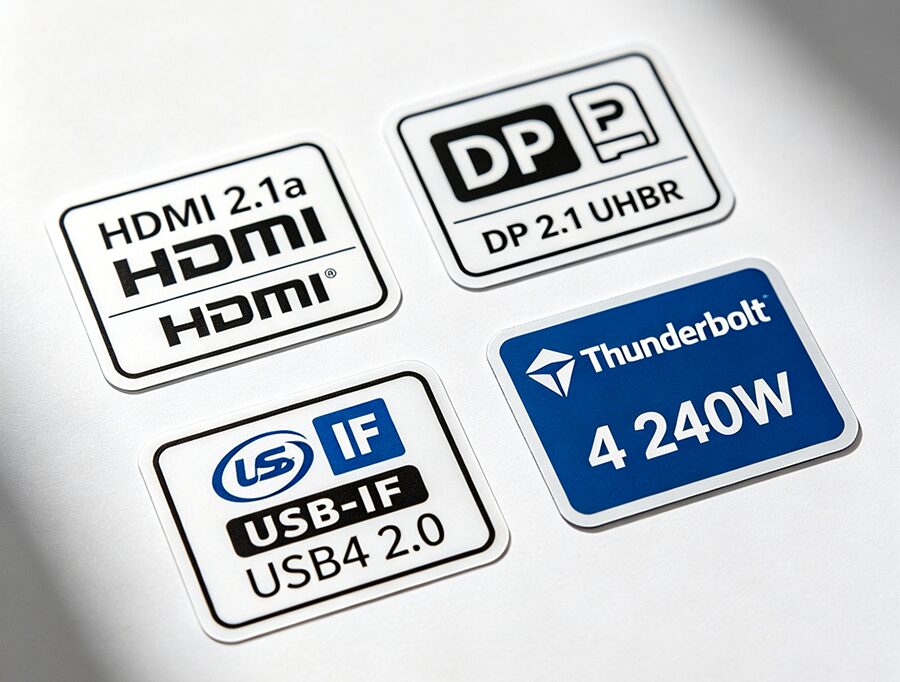
2026 devices have wildly different USB-C port specs: budget Chromebooks may only support 4K@60Hz output, while flagship AI laptops and VR headsets require 40Gbps+ bandwidth for full performance. Look for labels next to your USB-C port that say HDMI 2.1a, DP 2.1 Alt Mode, or Thunderbolt 4 before buying.
2. Match specs to your 2026 use case
For casual streaming/office work: A $10 USB-C to HDMI 2.1a cable with 100W passthrough is perfect for 4K monitors/TVs
For 240Hz+ gaming/8K editing: Pick a DP 2.1 UHBR10 cable for zero latency and maximum refresh rates
For AI PC/VR/gaming handheld setups: Go for a 240W Thunderbolt 4 cable to handle charging, video, and high-speed data transfer in one cord
3. Avoid 2026’s most common labeling scams
Cheap no-brand cables often lie about their specs to cut costs:
Avoid “HDMI 2.1” labeled cables – only HDMI 2.1a supports DSC for 8K@120Hz output
For DP 2.1 cables, confirm it supports UHBR10 minimum (many cheap “DP 2.1” cables only hit old DP 1.4 speeds)
For Thunderbolt 4 cables, look for the official Intel Thunderbolt logo and 240W PD labeling (many old 100W models are still being sold as “2026 compatible”)
VR/handheld use: 2-3m soft flat cables give you room to move without tangling
3m+ long runs for home theaters: Pick active fiber optic cables to avoid 8K signal degradation (priced only $5-$10 more than copper cables in 2026)
FAQs
Q: Can I use a USB4 2.0 cable instead of Thunderbolt 4 for video? A: Yes, USB4 2.0 40Gbps cables deliver identical video and data performance to Thunderbolt 4 for 95% of use cases, and cost $5-$10 less on average. Only pick Thunderbolt 4 if you need official compatibility with Thunderbolt-only devices like eGPUs.
Q: Why won’t my USB-C to DP cable work with my VR headset? A: 2026 VR headsets (Vision Pro, Meta Quest 4) require 40Gbps+ data bandwidth for lossless streaming, which standard video-only DP/HDMI cables don’t support. Use a Thunderbolt 4 or USB4 2.0 cable for VR connections.
Q: Do I need Thunderbolt 5 in 2026? A: No for most users. Thunderbolt 5’s 80Gbps bandwidth is only necessary for pro users running dual 8K monitors or 8K live capture cards. Thunderbolt 4 covers all consumer use cases at a much lower price.
Q: Will 2026-spec cables work with my older 4K monitor? A: Yes, all 2026 USB-C video cables are fully backward compatible with older 4K/1080p displays and devices, so you can future-proof your setup without upgrading all your gear at once.
Still unsure which cable works with your VR headset, gaming handheld, or AI PC? Drop a comment below with your device and monitor model, and we’ll send you a free personalized recommendation within 24 hours.