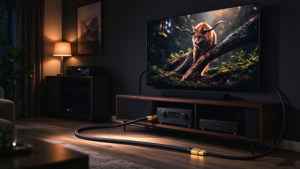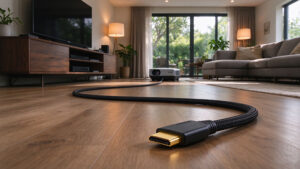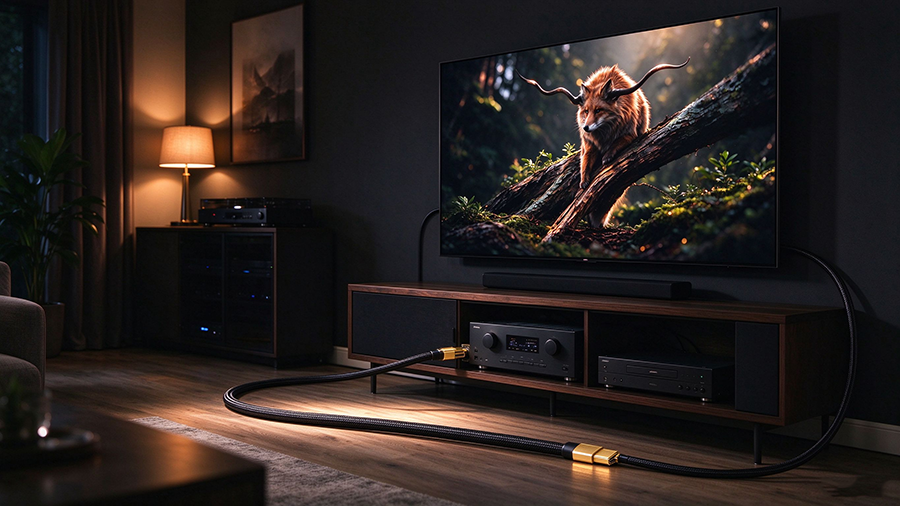
Why a Normal HDMI Cable Fails Over Distance
If you’ve ever tried to run a 10m, 15m, or 20m HDMI cable from your AV receiver to a projector, or from a media rack to a wall-mounted TV, you already know the problem: the image flickers, drops to 1080p, shows a black screen, or simply says “No Signal.”
This is not a defect in your TV or source. It is physics.
A standard copper HDMI cable carries data as electrical pulses over copper wires. As bandwidth climbs to 48Gbps (Ultra High Speed HDMI 2.1) and resolutions push toward 4K@120Hz or 8K@60Hz, the signal becomes extremely sensitive to attenuation, electromagnetic interference (EMI), and crosstalk. Beyond roughly 5–7 meters, a passive copper cable simply cannot deliver a stable 48Gbps signal — no matter how thick or expensive it looks.
The solution is a Fiber Optic HDMI Cable (also called AOC — Active Optical Cable). Instead of electricity, it sends data as pulses of light through optical fibers. Light does not lose strength over distance the way copper does, and it is immune to EMI from power lines, LED drivers, or in-wall wiring.
This guide explains what a fiber optic HDMI cable is, how far it can really go, when you need 15m, 20m, 30m, or 50m, and how to choose the right AOC for your home theater, conference room, or digital signage install.
What Is a Fiber Optic HDMI Cable (AOC)?
An AOC (Active Optical Cable) is a hybrid cable. Inside the thin, flexible jacket, most of the data is carried by optical fiber strands. At each end, tiny photoelectric chips convert the electrical HDMI signal into light (transmit end) and back into electricity (receive end). This is why it is called “active” — it needs a tiny amount of power drawn from the source device to drive those chips.
Key characteristics of a fiber optic HDMI cable:
- Very thin and flexible — usually 3.0–4.0mm diameter, far thinner than thick copper 48Gbps cables.
- Zero signal attenuation over long runs — 4K@120Hz, 8K@60Hz, HDR, and eARC stay bit-perfect at 15m, 20m, 30m, and even 50m+.
- Immune to EMI/RFI — no interference from power cables, fluorescent ballasts, or building wiring.
- Directional — one end plugs into the source (TV box, game console, PC), the other into the display. Swapping them usually kills the signal.
- No external power adapter — powered directly from the source’s 5V HDMI pin.
- Available as certified Ultra High Speed HDMI 2.1 — supports 48Gbps, 4K@120Hz, 8K@60Hz, VRR, ALLM, QFT, and DSC.
Fiber HDMI vs Copper HDMI: The Quick Comparison
|
Feature
|
||
|
Max stable length at 48Gbps
|
~3–5m (quality-dependent)
|
15m, 20m, 30m, 50m, 100m+
|
|
Signal loss over distance
|
Severe; degrades 4K/8K quickly
|
Negligible; bit-perfect at full length
|
|
Cable thickness / flexibility
|
Thick, stiff, hard to bend
|
Thin (3–4mm), light, easy to pull
|
|
EMI / RFI interference
|
Yes — susceptible near power cables
|
No — immune by design
|
|
Power requirement
|
None
|
Tiny, drawn from source (5V)
|
|
Directional ends
|
No — reversible
|
Yes — label Source vs Display
|
|
Typical use case
|
Short runs (desktop to monitor)
|
Long runs (projector, in-wall, rack to TV)
|
|
Relative cost
|
Lower for short lengths
|
Higher per meter, but the only option >5m
|
|
Future-proof for 8K / 4K120
|
Degrades rapidly past 5m
|
Maintains 48Gbps full length
|
How Long Does a Fiber HDMI Cable Really Need to Be?
Choosing the right length matters. Too short and you can’t reach; too long and you’re paying for cable you don’t need (and bulky excess cable in a wall is never ideal). Here is the practical length guide for the most common long-distance scenarios:
|
Cable Length
|
Typical Use Case
|
Best For
|
Key Specs to Look For
|
|
5m – 7m
|
TV next to AV rack; short in-wall runs
|
Small living rooms
|
Certified Ultra High Speed 48Gbps copper is usually enough
|
|
10m – 15m
|
Living room TV to hidden media rack; conference room table to display
|
Most home theater upgrades, meeting rooms
|
Fiber AOC 48Gbps, 4K@120Hz / 8K@60Hz
|
|
20m
|
Projector to AV receiver; large open-plan living room; classroom
|
Projector installs, mid-size rooms
|
Fiber AOC 48Gbps, low-smoke jacket, directional
|
|
30m
|
In-wall / riser runs; hall to home theater; retail digital signage
|
Residential theater, commercial AV
|
Fiber AOC 48Gbps, CL2/CL3 in-wall rated, plenum option
|
|
50m+
|
Auditorium, house of worship, large venue, long corridor
|
Commercial integrators, stadium
|
Fiber AOC 48Gbps, often with separate eARC/control return
|
Common Myths About Fiber HDMI Cables
Myth 1: “Fiber HDMI needs an external power adapter”
No. A properly designed AOC draws its tiny operating power directly from the source device’s 5V HDMI pin. It is truly plug-and-play. (Longer 100m+ commercial AOCs sometimes require external power, but consumer 15m/20m/30m cables do not.)
Myth 2: “Fiber HDMI can’t carry eARC”
Modern HDMI 2.1 fiber AOCs carry eARC (Enhanced Audio Return Channel), including Dolby Atmos and DTS:X bitstream from TV back to soundbar or AV receiver. Always confirm eARC is listed in the product specs — some older 4K60 AOCs are video-only.
Myth 3: “A longer fiber cable is always worse”
False. Copper loses signal with distance; fiber does not. A 30m certified fiber AOC delivers a cleaner 4K@120Hz signal than a cheap 7m copper cable. Distance is not the enemy — attenuation is, and fiber eliminates it.
Myth 4: “Fiber HDMI breaks easily”
Optical fibers are glass, but modern AOC cables use tight-buffered, reinforced fiber strands inside a flexible PVC/LSZH jacket. They are rated for thousands of bend cycles and are easier to pull through conduit than stiff thick copper.
Myth 5: “I can just use an HDMI extender (CAT6) instead”
An HDMI extender over Cat6/7 is a valid alternative, but it adds two boxes, power supplies, and more failure points. A fiber AOC is one continuous cable with no adapters — simpler, cleaner, and often more reliable for permanent in-wall installs.
Frequently Asked Questions
Q: How long can a fiber optic HDMI cable run without signal loss? A certified 48Gbps fiber HDMI (AOC) can run 15m, 20m, 30m, 50m, and up to 100+ meters with zero signal loss, maintaining full 4K@120Hz or 8K@60Hz bandwidth. This is the primary reason to choose fiber over copper for long-distance HDMI.
Q: Is a 20m fiber HDMI cable good for 4K@120Hz on PS5 / Xbox Series X? Yes — if it is a 48Gbps Ultra High Speed certified fiber AOC. It will support PS5 and Xbox Series X at 4K@120Hz with VRR/ALLM, as well as Dolby Vision and HDR10+.
Q: Do fiber HDMI cables work with 8K TVs? Yes, HDMI 2.1 fiber AOCs support 8K@60Hz (with DSC compression) and are the only practical way to run 8K over a long in-wall or projector cable.
Q: Why are fiber HDMI cables directional? AOCs have a transmit chip at the source end (converts electrical signal to light) and a receive chip at the display end (converts light back to electrical HDMI). Because the chips are fixed, swapping ends usually results in no signal.
Q: Can I use a fiber HDMI cable in a wall? Yes, but choose a CL2/CL3 (US) or LSZH/Euroclass-rated jacket for safety. Never run unrated PVC cable inside walls, risers, or plenum spaces.
Q: How does fiber HDMI compare to an HDMI extender over Cat6? A fiber AOC is one continuous, powered-by-source cable with no extra boxes. A Cat6 extender requires two transmitter/receiver boxes and power. For permanent in-wall runs, fiber is often simpler and more reliable.