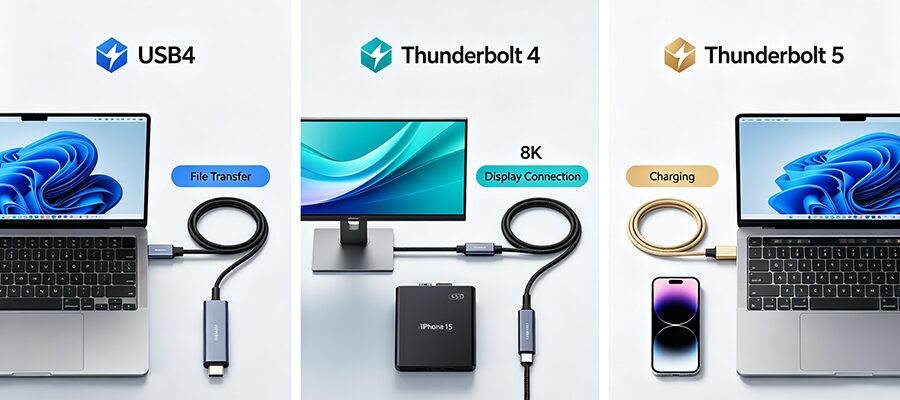
Ever bought a USB-C cable expecting to connect your 8K monitor, only to get a black screen? Or waited 20 minutes to transfer a 100GB video file? The chaos of overlapping USB-C standards is to blame. We’re breaking down the three most popular high-speed USB-C specs in 5 minutes flat, no jargon included.
Quick Comparison Table (At a Glance)
Skip the deep dive and use this cheat sheet to pick the right cable:
| Merkmal | USB4 | Thunderbolt 4 | Thunderbolt 5 |
|---|---|---|---|
| Jahr der Veröffentlichung | 2019 (USB4 2.0 / 80Gbps: 2022) | 2020 | 2023 |
| Maximale Bandbreite | 20Gbps (base) / 40Gbps (premium) / 80Gbps (USB4 2.0) | 40Gbps (mandatory minimum) | 80Gbps (symmetric) / 120Gbps (asymmetric video mode) |
| Video-Ausgang | Optional (DP 1.4a if supported, max 1x 8K30) | Mandatory (DP 1.4a, min 2x 4K60 or 1x 8K30) | Mandatory (DP 2.1, min 2x 8K60 or 1x 16K30) |
| Stromlieferung | 15W minimum, up to 240W (optional) | 100W charging minimum (mandatory) | 240W charging support (mandatory) |
| Official Certification | Optional (USB-IF) | Mandatory (Intel) | Mandatory (Intel) |
| Kompatibilität | Works with all USB-C devices, no Thunderbolt 1/2 support | Backward compatible with all USB standards + Thunderbolt 3/4/5 | Backward compatible with all USB standards + Thunderbolt 3/4/5 |
| Cable Label | USB trident logo + speed mark (20G/40G/80G) | Lightning bolt logo + number 4 | Lightning bolt logo + number 5 |
| Average Price (2m cable) | $10–$30 | $25–$50 | $40–$80 |
Core Differences You Actually Care About
1. Bandwidth & Cable Performance
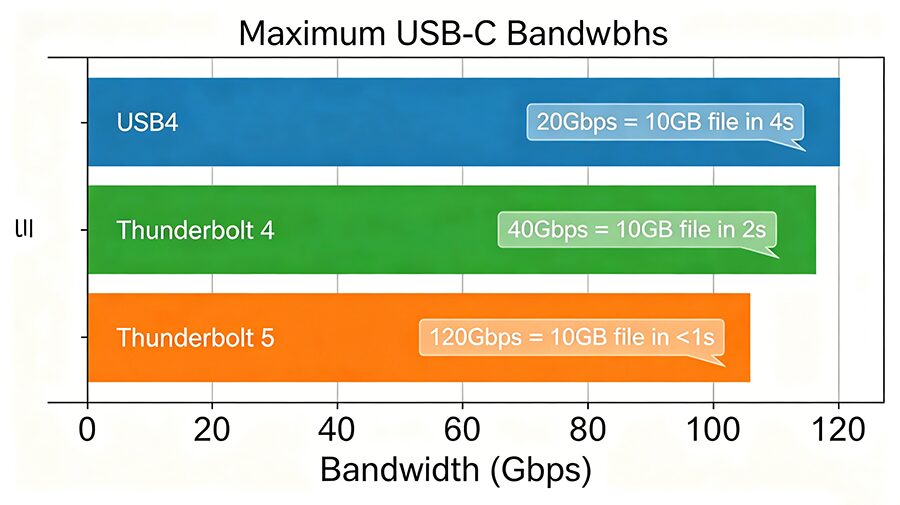
The biggest catch with USB4 is that speed is tiered, and uncertified cables often advertise “USB4” but only deliver the base 20Gbps speed. Thunderbolt 4 requires all cables to hit 40Gbps minimum, while Thunderbolt 5’s optional 120Gbps asymmetric mode is purpose-built for large video file transfers and external graphics card (eGPU) use.
2. Video Output Capabilities
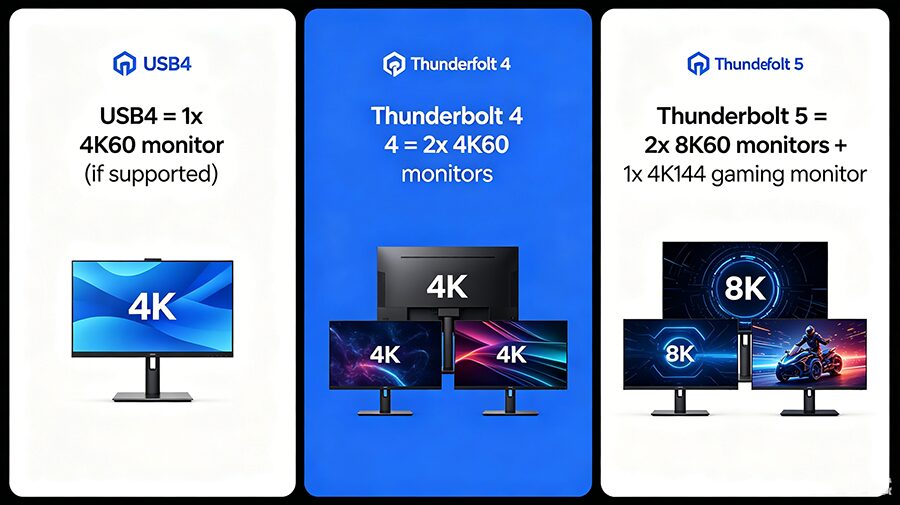
This is the most common pain point for buyers: video output is not guaranteed on USB4 cables. Many budget USB4 cables only support data transfer, and will not work with monitors or docking stations. All Thunderbolt 4/5 cables mandate DisplayPort Alt Mode support, so they work with every USB-C display out of the box.
3. Cross-Device Compatibility
Thunderbolt cables are universally backward compatible: you can use a Thunderbolt 5 cable with a USB4 SSD or USB 3.2 phone and it will work at the device’s maximum supported speed.
The reverse is not true: a USB4 cable plugged into a Thunderbolt port will only run at USB4 speeds, and cannot support Thunderbolt-exclusive features like eGPUs or Thunderbolt RAID storage.