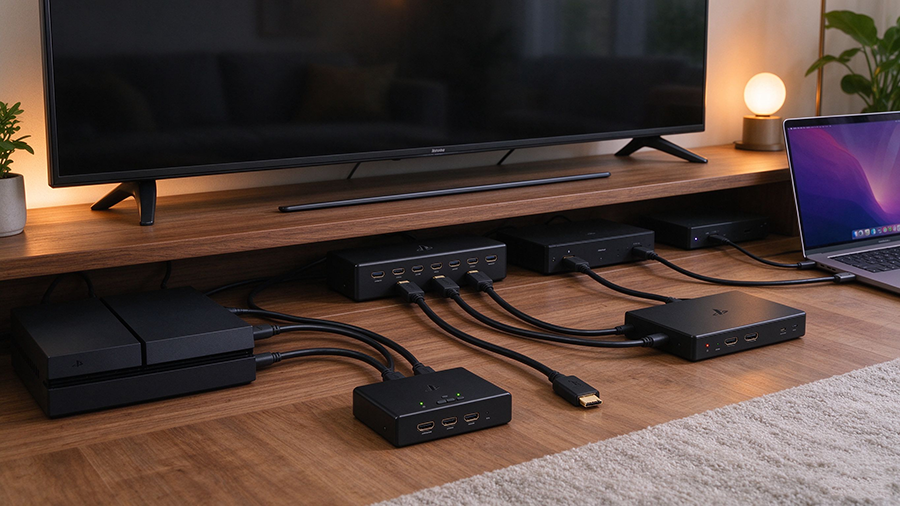
Too Many Devices, Too Few Ports
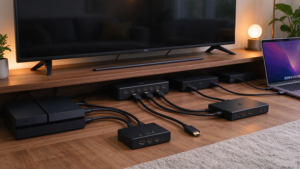
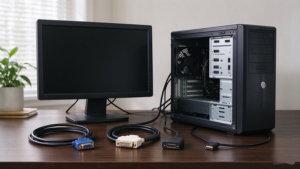
A modern living room or office rarely uses just one source: you plug in a PS5 or Xbox, an Apple TV / Fire TV / Roku, a laptop, a Blu-ray player, a PC, a soundbar, and sometimes a second display or projector. Your TV has only 2–3 HDMI ports, and those ports often stop at 4K@60Hz while your console wants 4K@120Hz.
That’s where three compact boxes come in:
- HDMI-Splitter — one source out to many displays
- HDMI Switch (switcher) — many sources into one display
- HDMI Extender — sends a single HDMI signal over long distance (Cat6/7 cable, fiber, or wireless)
Choosing the wrong one is the #1 reason people end up with a black screen, duplicated stereo display, or no 4K signal. This guide explains HDMI splitter vs switch vs extender, what each one does, which specs matter, and which device to buy for your setup.
What Is an HDMI Splitter?
Eine HDMI-Splitter takes one HDMI input and duplicates that signal to two or more HDMI outputs. The same video and audio appear on every connected screen at the same time.
- Direction: 1 source → 2 / 3 / 4 displays
- Signal: Mirrored copy on every output (not two different extended screens)
- Typical use: Send the same content to two TVs, a TV and a projector, a video wall, a digital signage display, or a monitor plus a recording capture card
- Key specs to check: Bandwidth (18Gbps 4K60 / 48Gbps 4K120 / 8K), HDCP 2.3 compliance, EDID management, output resolution matching
- Important: Most splitters do not extend your Windows desktop to two independent monitors — that needs a graphics card with two native outputs. A splitter mirrors the same image.
Common splitter configurations
|
Splitter
|
Inputs
|
Outputs
|
Typical Use
|
|
1
|
2
|
TV + projector, TV + second monitor
|
|
|
1
|
4
|
Digital signage, small video wall
|
|
|
1×8 HDMI splitter
|
1
|
8
|
Commercial displays, bars, venues
|
What Is an HDMI Switch (Switcher)?
Eine HDMI-Umschalter does the opposite: it connects multiple source devices into one TV or monitor. You select which source to view with a remote, front-panel button, or auto-switch.
- Direction: 2 / 3 / 4 / 5 sources → 1 display
- Signal: Only one active source passes through; others stay idle
- Typical use: PS5, Xbox, Apple TV and laptop all connected to one 4K/8K TV; classroom and meeting-room source switching
- Key specs to check: Bandwidth matching your most demanding device (48Gbps for PS5/Xbox 4K120), HDCP 2.3, remote control, automatic switching, external power for stable signal
- Bonus features: ARC/eARC return, audio extractor, bidirectional switch, hot-plug auto-detection
Common switch configurations
|
Switch
|
Inputs
|
Outputs
|
Typical Use
|
|
2×1 HDMI switch
|
2
|
1
|
Laptop + game console to one TV
|
|
3×1 HDMI switch
|
3
|
1
|
PS5, Apple TV, PC to one TV
|
|
5×1 HDMI switch
|
5
|
1
|
Home theater with many sources
|
|
Bidirectional switch
|
2–3
|
1
|
Source switching or display sharing
|
What Is an HDMI Extender?
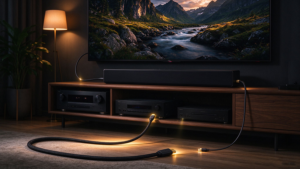
Eine HDMI extender sends an HDMI signal over a long distance instead of a direct HDMI cable. It consists of a transmitter (TX) connected to the source and a receiver (RX) next to the display.
- Direction: 1 source → 1 display over long run
- Mittel: Cat6/7 Ethernet cable, fiber optic, or wireless HDMI
- Typical use: Projector in a dedicated home theater, AV rack to wall-mounted TV across a room, meeting-room video to a remote display, digital signage through conduit
- Key specs to check: Maximum distance at 4K@60Hz or 4K@120Hz, bandwidth, HDCP 2.3, IR remote passthrough, audio return, PoC power over cable, LSZH/CL2 jacket for in-wall use
- Common types:
|
Extender Type
|
Mittel
|
Typical Range
|
Am besten für
|
|
Ethernet-Kabel
|
30–60m at 4K60
|
Home theater, meeting rooms
|
|
|
Fiber HDMI AOC
|
Optical fiber
|
15–100m+ at 4K120/8K
|
Long in-wall, projector installs
|
|
Wireless HDMI extender
|
5GHz / 60GHz wireless
|
10–30m (line of sight)
|
Temporary setups, no conduit
|
|
HDBaseT extender
|
Cat6a/7
|
70–100m at 4K
|
Commercial AV integration
|
Splitter vs Switch vs Extender: Side-by-Side Comparison
|
Merkmal
|
HDMI-Splitter
|
HDMI-Schalter
|
HDMI Extender
|
|
Direction
|
1 in → many out
|
Many in → 1 out
|
1 in → 1 out over distance
|
|
Main job
|
Mirror same image to multiple displays
|
Pick one source for one display
|
Push signal far away over cable/fiber/wireless
|
|
Duplicate image?
|
Yes, identical on every screen
|
No — one active source only
|
Single display only
|
|
Expand Windows desktop?
|
No (mirror only)
|
Nein
|
Nein
|
|
Typical ports
|
1 HDMI in, 2–8 HDMI out
|
2–5 HDMI in, 1 HDMI out
|
TX HDMI in, RX HDMI out, Cat/fiber between
|
|
Remote control
|
Usually none
|
Yes, IR remote + auto-switch
|
IR passthrough sometimes
|
|
Strom
|
Often external (bandwidth hungry)
|
Usually external
|
TX and RX both powered (or PoC)
|
|
Bandwidth options
|
18Gbps / 48Gbps / 8K
|
18Gbps / 48Gbps / 8K
|
18Gbps / 48Gbps by range
|
|
HDCP support
|
Required for streaming apps
|
Required for streaming apps
|
Required for streaming apps
|
|
Typical buyer
|
Home theater, signage installer
|
Family living room, gamer
|
Installer, AV integrator, projector owner
|
Which Device Do You Need? By Real Setup
|
Your Situation
|
Gerät
|
Why
|
|
Connect PS5, Xbox, Apple TV to one TV
|
HDMI switch (3×1 or 5×1)
|
One display, multiple sources to select from
|
|
Show the same movie on TV and projector
|
HDMI splitter (1×2)
|
Duplicates signal to two screens simultaneously
|
|
Same digital menu on 4 store displays
|
HDMI splitter (1×4)
|
Mirror one media player across signage
|
|
AV rack 15m from wall-mounted TV
|
HDMI extender (fiber AOC or Cat6)
|
Long-run signal without loss
|
|
Projector 20m from receiver in theater room
|
Fiber HDMI AOC extender
|
4K@120Hz / 8K over in-wall fiber
|
|
Temporary presentation, no cable conduit
|
Wireless HDMI extender
|
Plug-and-play room-to-room video
|
|
Two independent monitors from one PC
|
Dual native GPU outputs (not a splitter)
|
Splitters mirror; extended desktop needs GPU ports
|
|
Meeting room: laptop, webcam, PC to one projector
|
HDMI switch + extender
|
Switch sources, extend to remote display
|
FAQ
Q: What is the difference between an HDMI splitter and a switch?
A Splitter goes 1-in-to-many-out and mirrors the same signal; a switch goes many-in-to-1-out and lets you choose one source. If you want two TVs showing the same screen, use a splitter; if you want one TV showing your console, laptop or Apple TV, use a switch.
Q: What HDMI switch do I need for PS5 4K@120Hz?
Wählen Sie eine 48Gbps Ultra High Speed HDMI 2.1 switch with HDCP 2.3, remote control, and external power. Older 18Gbps switches cap at 4K@60Hz and break VRR on the PS5 and Xbox Series X.
Q: Can an HDMI splitter extend my desktop to two monitors?
No. Splitters duplicate a mirrored image. Extended dual-monitor desktop requires two independent outputs on your graphics card (DisplayPort, HDMI, or USB-C/Thunderbolt), or a USB-C docking station with dual video out.
Q: How far can an HDMI extender go?
Cat6/7 extenders typically reach 30–60m at 4K@60Hz, HDBaseT reaches up to 100m, and a fiber AOC can run 50m, 100m or beyond at full 4K@120Hz or 8K. Wireless extenders usually work within 10–30m line of sight.
Q: Why does my switch block Netflix or Disney+?
HDCP content protection. A switch without HDCP 2.2/2.3 negotiation cannot pass streaming apps and shows a black screen. Buy an HDCP-compliant switch for streaming and Blu-ray use.
Q: Do I need ARC on my HDMI switch?
If your TV’s audio needs to return to a soundbar or AV receiver, pick a switch with ARC or eARC support. Without it, audio must be routed separately from TV to audio system.