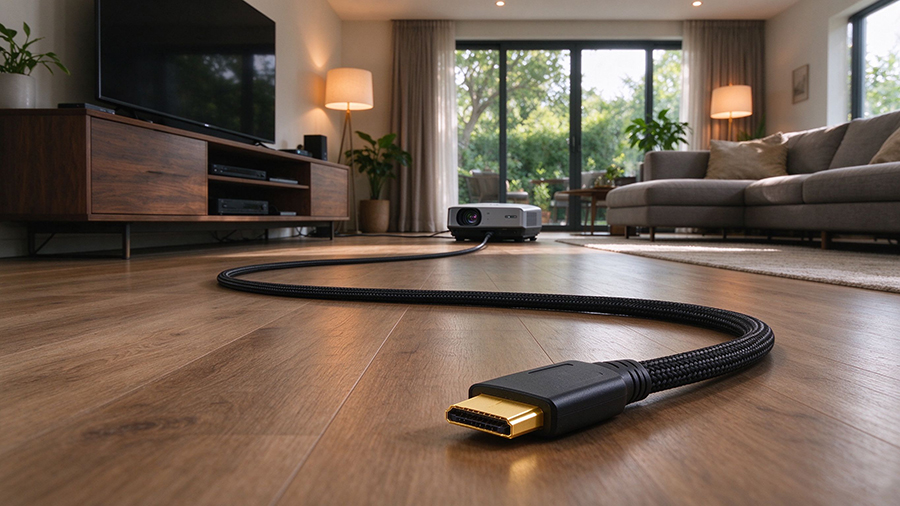
Almost every home theater question eventually comes back to one number: how long can an HDMI cable be? The honest answer is — it depends on the cable type, the resolution, and the refresh rate you’re pushing.
Get it wrong, and you’ll face signal degradation, flickering screens, audio dropouts, or no signal at all. Get it right, and you can run HDMI over 15m, 20m, or even 30m without losing a single pixel.
This guide explains HDMI cable length limits, why signal loss happens, and exactly when you need a fiber optic HDMI cable instead of a standard copper one.
Why HDMI Cable Length Causes Signal Degradation
All HDMI cables carry high-speed digital signals, and those signals weaken over distance. This is called signal degradation (or attenuation). As the cable gets longer, the signal gets weaker until your TV, projector, or monitor can no longer read it reliably.
Symptoms of an over-long or low-quality HDMI cable:
- Screen flickering or random blackouts
- No signal at startup
- Audio dropouts or lip-sync issues
- Color banding or picture artifacts
- Loss of 4K@120Hz oder 8K capability
The key variable isn’t just length — it’s bandwidth. A 4K@60Hz signal is far easier to carry over distance than a 4K@120Hz oder 8K@60Hz signal, which needs the full 48Gbps of HDMI 2.1.
Copper vs Fiber Optic HDMI: Why It Matters
This is the core choice when you need a long HDMI cable. Here’s how standard copper HDMI und fiber optic HDMI (AOC) compare:
|
Faktor
|
||
|
Max Reliable Length
|
~2–3 m (up to 5–10 m)
|
15–30 m+ (up to 100 m)
|
|
Signalverschlechterung
|
Yes, over distance
|
No (light-based)
|
|
EMI / Interference
|
Prone to interference
|
EMI-free
|
|
Maximale Bandbreite
|
Full 48Gbps (short runs)
|
Full 48Gbps (long runs)
|
|
Cable Thickness
|
Thicker & stiffer
|
Thin & flexible
|
|
Direction
|
Bidirectional
|
Often unidirectional
|
|
Am besten für
|
Short connections, TV-to-soundbar
|
Projectors, in-wall, long runs
|
Bottom line: For anything beyond about 3 meters at high bandwidth, a fiber optic HDMI cable is the reliable choice. It converts electrical signals to light, so distance and EMI stop being a problem.
Maximum Reliable HDMI Cable Lengths
Here’s a practical table of how long an HDMI cable can be by type:
|
Kabel Typ
|
Safe Length
|
Typical Use
|
|
Standard copper HDMI 2.1
|
Up to ~2–3 m (6–10 ft)
|
Console to TV, PC to monitor
|
|
Passive copper HDMI
|
3–5 m (10–15 ft)
|
Basic 4K@30/60Hz setups
|
|
Active HDMI cable
|
5–15 m (16–50 ft)
|
Built-in booster, no external power
|
|
Fiber optic HDMI (AOC)
|
15–30 m+ (50–100 ft)
|
Projectors, commercial displays, in-wall
|
|
HDMI over fiber (extension)
|
Up to 100 m
|
Professional / commercial AV
|
4K vs 8K: How Bandwidth Changes the Length Limit
|
Signal
|
Bandbreite
|
Max Copper (approx)
|
Fiber Recommended
|
|
1080p @ 60Hz
|
~3 Gbps
|
10–15 m
|
Over 15 m
|
|
4K @ 30Hz
|
~10 Gbps
|
5–10 m
|
Over 10 m
|
|
4K @ 60Hz
|
~18 Gbps
|
3–5 m
|
Over 5 m
|
|
4K @ 120Hz / 8K @ 60Hz
|
~48 Gbps
|
2–3 m
|
Over 3 m
|
So if you want 8K over 10m, oder 4K@120Hz to a distant projector, you don’t have a choice — you need a fiber optic HDMI 2.1 cable or an active HDMI cable.
Frequently Asked Questions (FAQ)
Q: How long can an HDMI cable be? A standard copper HDMI cable is reliable to about 2–3 m at full bandwidth. Use fiber optic HDMI for 15m, 20m, 30m or longer.
Q: Does a longer HDMI cable affect quality? Yes. Beyond a certain length, copper cables experience signal degradation that causes flicker, blackouts, or loss of 4K/8K. Glasfaser-HDMI avoids this entirely.
Q: Is fiber optic HDMI better than copper? Für long distances and high bandwidth, yes — fiber is EMI-free and doesn’t lose signal over 15–30 m+. For short runs under 3 m, copper is cheaper and works fine.
Q: Can I use a 15m HDMI cable for 4K? Für 4K@30Hz, a good 15m copper or active cable may work. For 4K@60Hz or 4K@120Hz at 15m, choose a fiber optic HDMI 2.1 cable.
Q: Do I need a booster for a long HDMI cable? For runs beyond ~10 m at high bandwidth, an active HDMI cable oder fiber optic HDMI is more reliable than a passive booster.