
Tired of settling for lackluster audio from your soundbar or home theater setup? The secret to unlocking immersive, theater-quality sound often lies in properly matching and using ARC/eARC HDMI cables. Skip the guesswork—this guide breaks down everything you need to know in minutes.
1. Why HDMI Cable Matching Matters
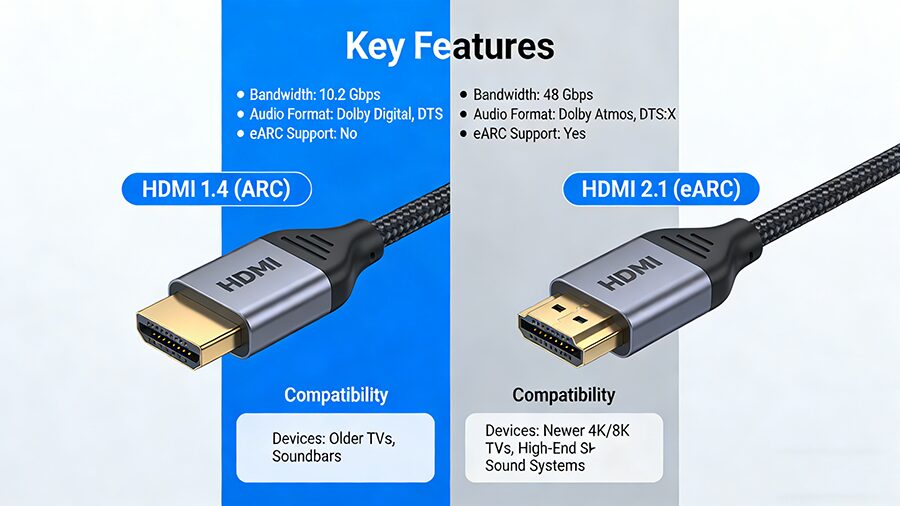
2. ARC vs. eARC: Key Differences at a Glance
3. Step-by-Step Guide to Using ARC/eARC Cables
Step 1: Identify ARC/eARC Ports
Step 2: Select the Correct Cable
Step 3: Physical Connection
Step 4: Enable ARC/eARC in Settings
Step 5: Test Your Audio
4. Common Mistakes to Avoid
Using an old HDMI cable for eARC: HDMI 2.0 or lower can’t support eARC’s 48 Gbps bandwidth.
Forgetting to enable ARC in settings: Even with the right cable, the feature won’t activate manually.
Plugging into non-ARC ports: Standard HDMI ports don’t support audio return functionality.
Skipping firmware updates: Outdated TV/soundbar firmware may cause ARC/eARC compatibility issues.